






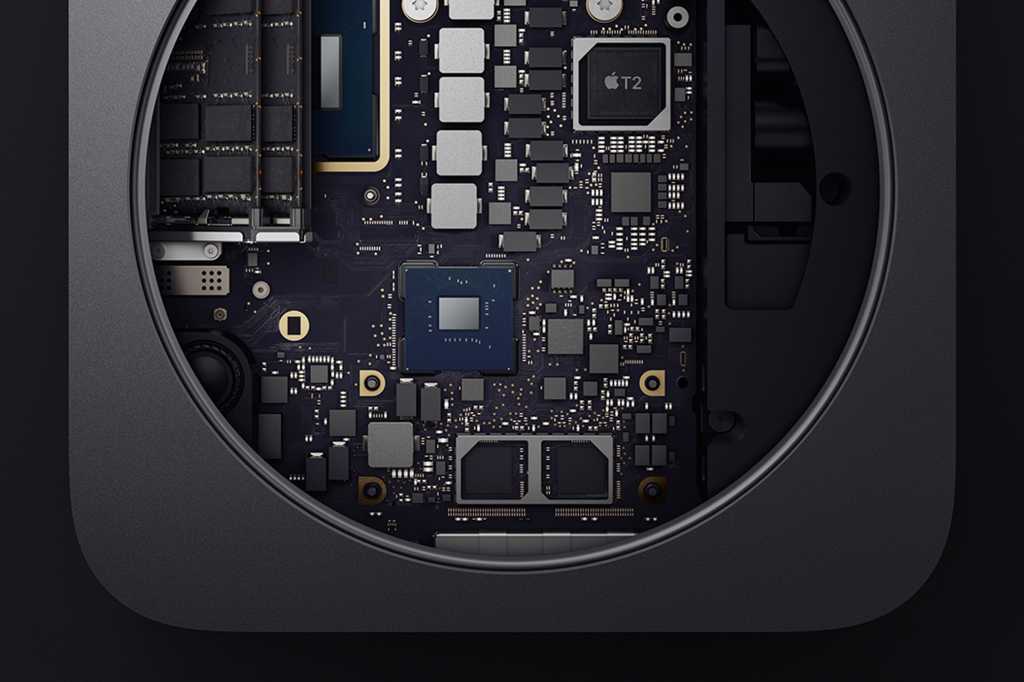
When it comes time to get a new Mac, you have three options: Trade in your old Mac, sell it, or hold onto it. Macs tend to maintain a good amount of value but some Macs are more in demand than others. MacBooks are relatively hot sellers, but on the other hand, there seems to be a glut of used Mac minis for sale. With inexpensive Macs like the Mac mini, it’s probably not worth the hassle of selling it and Apple isn’t going to give you very much for a trade-in.
So, why not keep that old Mac mini? There are many sensible uses for it, even if it’s past its prime. If you have an old Mac mini that has been replaced by a newer model, here are a few ideas on how you can put it to good use.
As an emergency Mac
Apple devices are very reliable, but stuff happens–a Mac can fall off a desk and we’ve all heard about someone who spilled a beverage onto a computer. So, while your primary Mac is at the shop recovering from that mishap, an old Mac mini can be a savior and be of service.
If you use Time Machine for data backups, you can even use Migration Assistant to quickly bring the replacement device up to date.
Currently best price: Mac Mini M2
For old software
There are instances where a user relies on software that is no longer available or is no longer supported by the developer. Perhaps you’re in a situation where a custom-made app will never be upgraded. Or maybe you have software that won’t work with Apple’s emulator that allows M-series Macs to run software developed for Intel processors.
You can use that old Mac mini for these instances. Keep older versions of software and discontinued apps on it so you can open those old files and archives. Be sure to turn off auto updates on it so you don’t unintentionally install a new version of the app–the updates often replace the older apps.
As a test machine
If you have a setup with a lot of devices connected–printers, audio interfaces, cameras, scanners, etc–a macOS update can sometimes (but not usually) cause problems. Especially if the device is older and the manufacturer isn’t updating the drivers anymore.
You can save yourself a lot of trouble if you set up the old Mac mini as a computer for checking software update compatibility. When an update happens, you can install it on the Mac mini and then test your device compatibility. This way, you can spot problems without affecting your workflow on your main Mac. You can also do this with the apps on the Mac; install the updated version on the Mac mini and see if it works with your files without any hitches.
One thing to keep in mind is that the Mac mini may stop being compatible with the latest version of macOS. A Mac can usually run the latest major version of macOS for 5 to 7 years until Apple cuts it off. (A major version is a whole-point revision. For example, macOS 13 to 14.)
As a digital video recorder
The Mac mini is a great device to record TV programs on a scheduled basis. The Geniatech EyeTV U6 can be plugged into a USB-A port to receive an aerial TV signal and the bundled EyeTV 3 software provides a channel guide and can perform recording functions. However, the most recent version of macOS that the EyeTV3 software is compatible with is macOS 10.14 Mojave, so your Mac mini needs to run this older macOS. You may be able to find other apps that can help you use your old Mac mini as a TV.
As a remote Mac
Maybe you like the idea of your older Mac mini as a second computer but you don’t like the idea of setting up another display, keyboard, and mouse for it. That takes up a lot of desk space. However, you can use your setup on your primary Mac to remotely control the Mac mini.
You do need to connect a display, and input devices to the Mac mini to set this up, and the Mac mini needs to be on your network. Once the setup is done, you can disconnect the display and input devices. Here’s what you do on the Mac mini (these steps are with macOS 13 Monterey. They should be similar on other versions of macOS)
Open System Preferences/Settings.
In the Search box, type “Screen Sharing” and press Return.
Click Screen Sharing in the search results to open the setting.
Flip the switch on for Screen Sharing. You can find further settings if you click the “i” icon; you can set a password, limit which users can have access, and more.
You may have to enter your user password to confirm the settings.
Close the window.
To access the Mac mini remotely from your primary Mac, go to the Finder and click Go> Network. Click on your Mac mini and then click the Screen Share button. You’ll need to enter the user account name and password for the Mac mini, but once that’s done, you’ll see the Mac mini’s screen.
Also, you can use a third-party remote access app such as TeamViewer, LogMeIn and AnyDesk, which offer access via the internet. If you want to control the computer from a PC, you can use the Mac version of Microsoft Remote Desktop.
As a work-only Mac
Depending on your use case, it might be a good idea to have a Mac dedicated to work and another for personal use. If you work for a company, hopefully they provide a work computer to use. But if they don’t and your employer wants to install software that you need to use or platform management apps, a separate Mac dedicated to work makes even more sense. If you have your own business, a separate work Mac can prevent your professional data from mingling with your personal data.
As a DVD/Blu-ray player
Do you still have an old DVD collection but no longer have a functioning DVD player? An old Mac mini is also a good solution. Mac minis released before 2010 have a built-in drive, and if you have a model without a drive, an external USB one can be bought at an affordable price. Connect the Mac to your TV via HDMI, and the sound and audio will then come through the TV. A mouse is needed for operation.
Don’t worry about the fact that there’s no longer a DVD player app that comes with the Mac. As soon as you insert a DVD, the app opens automatically.
To play Blu-ray discs, you need to get a Blu-ray drive. Also, the Mac doesn’t have software to play Blu-ray discs, so you need third-party software. Unfortunately, a lot of Blu-ray apps have had less than stellar reviews on the web, and a lot of them are old and not updated. Look for a trial or demo so you can try the app first before spending your money. A couple of Blu-ray apps include Macgo Blu-ray Player for Mac and Aiseesoft Mac Blu-ray Player.
Currently best price: Mac Mini M2 Pro
Even though this idea has gone out of fashion in the age of Netflix and Apple TV+, using the Mac mini as a media center can be very useful. The mini would be dedicated to playing videos, photos, and music files and is connected to the TV via HDMI. Instead of using a mouse and keyboard, you can control this Mac using a mouse or a special remote control or an app on your iPhone.
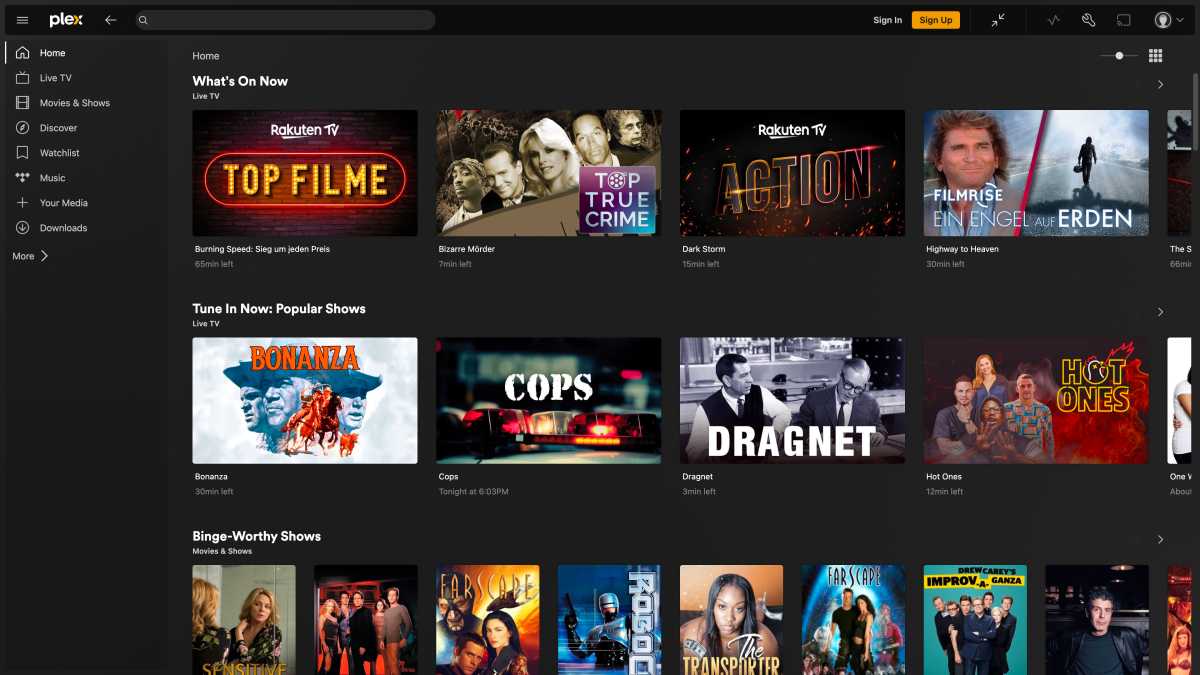
Software such as Plex also offers more and more streaming functions
Software such as Plex also offers more and more streaming functions
IDG
Software such as Plex also offers more and more streaming functions
IDG
IDG
Another approach is to use an app such as Kodi or Plex, which are optimized for remote control operation. This solution is interesting if you want to manage large quantities of video or audio files.
As a caching server
Content caching is an interesting function for a Mac Mini server. For software updates and iCloud synchronization, each of your devices has to download the required data individually from the network, even if it is always the same system update or software update. All these downloads can be managed via a single computer on the network–a caching server. Using such a machine would save bandwidth. This function is of course particularly interesting for schools and companies with a poor internet connection, but can also be useful for households with a large number of Macs and iOS devices.
To activate the function go into System Preferences/Settings and do a search for “Content Caching.” Flip the switch to turn it on.
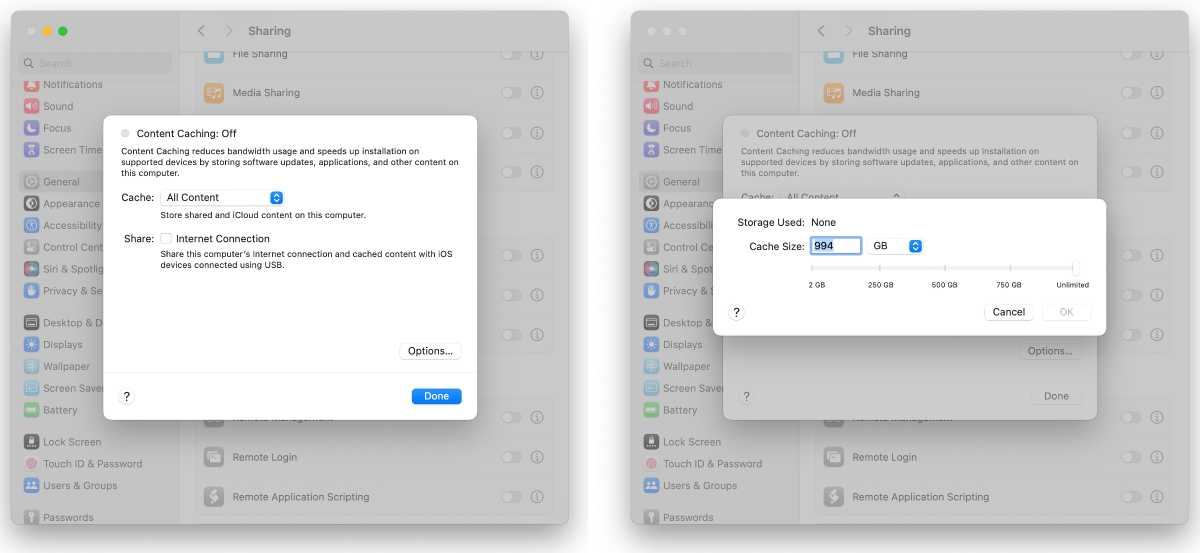
In the Content Chacing System Setting in macOS Sonoma, users can adjust the size of the cache.
In the Content Chacing System Setting in macOS Sonoma, users can adjust the size of the cache.
Foundry
In the Content Chacing System Setting in macOS Sonoma, users can adjust the size of the cache.
Foundry
Foundry
As a Time Machine/backup server
If the Mac mini has sufficient storage space, you can also convert it into a Time Machine Server. Backups of one or more Macs are then no longer made to a USB-connected storage medium, but to this computer via the network. We have a separate article with details on how to set up networked Time Machine backups.
As a virtual Windows machine
An old Mac mini with an Intel processor can be used as a Windows computer. Apple offers a very easy-to-use solution for installation on pre-2018 Mac minis with Boot Camp, which allows you to boot into Windows or macOS at startup. You can only install Windows 10, not the current Windows 11. You can still use Windows 10 until October 2025, when updates will be subject to a charge. With the M-Series Mac mini, however, you must use virtual machine software to run Windows.
Get the details on how to install Windows on Mac hardware.
As a Linux machine
The simplest way to run Linux on an old Mac mini is through virtualization software. With a little more effort, you can install Linux directly on the old Mac mini, replacing macOS altogether. Learn how to install Linux on an old Mac. From the 2018 model onwards, however, you must remember to allow booting from external media. This “Secure Boot” protection function can only be deactivated via a special help system.
As a file server
In a small company or your home network, an old Mac mini can fulfill the role of a file server for shared data. If you have stuff you want to share with others in your business or home, you can put the files on the server for easy access.
To turn on file sharing, go to System Preferences/Settings and search for “File Sharing.” Turn it on, and then you can click on the “i” icon for more options. You can create shared folders when the shared files are stored, and set user permissions. You can even set users to get full access to the Mac mini drive if you wish.
System is too old?
Many old Mac minis are no longer officially compatible with macOS Sonoma If your Mac mini is using an older version of macOS, keep in mind that it could be a security risk at some point because Apple will no longer provide security updates after a OS has been replaced. macOS 10.15 Catalina and macOS 12 Monterey should still offer relatively good compatibility with newer Macs, including network functions and iCloud. Here is a partial list of older Mac minis and the latest version of macOS they support
2011 Mac mini: macOS 10.13.6 High Sierra
2012 Mac mini: macOS 10.15.7 Catalina
2014 Mac mini: macOS 12 Monterey
2018 Mac mini: macOS 14 Sonoma
You can also install a newer system on these devices using the special tool OpenCore Legacy Patcher. This involves creating a special installation medium that also supports older models. Sonoma should still work with acceptable performance, especially on the Mac Mini 2012 and 2014 models.
Donate that old Mac mini
There is of course one last alternative to recycling: you can donate it. That still makes more sense than leaving it standing around uselessly. Every major city probably has a recycling center, and there’s likely a community program near you that could use that old Mac mini. It can be pout to good use instead of heading for the scrap heap.
This article originally appeared on Macwelt and was translated by Roman Loyola.
This article originally appeared on our sister publication Macwelt and was translated and localized from German.
>>> Read full article>>>
Copyright for syndicated content belongs to the linked Source : MacWorld – https://www.macworld.com/article/2321757/old-mac-mini-ideas.html



