







Make your approval way more evident with animated reactions.
By
Sandra Gutierrez G.
|
Published Oct 4, 2023 3:30 PM EDT
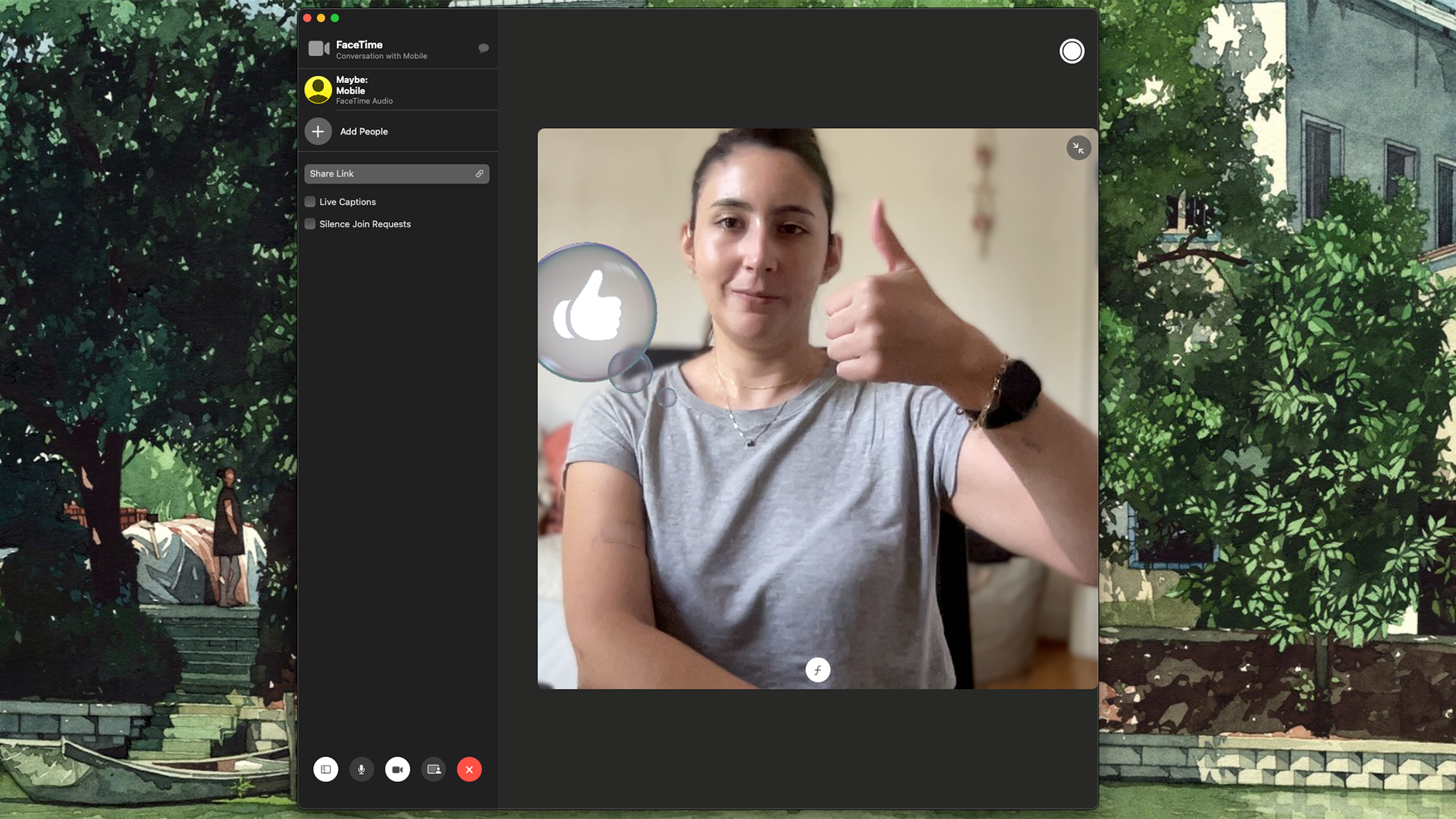
Hand gestures just got more fun on macOS Sonoma. Screenshot: Apple
Reacting to something online is way more fun if there’s an animation involved. Apple seems to understand this, as it included hand gesture reactions in macOS Sonoma. They work on FaceTime, of course, but also on some other video call platforms, including Google Meet, Zoom, and Microsoft Teams.
Now, if you have a compatible Mac, you’ll be able to celebrate your colleague’s promotion with a dramatic firework effect, or send digital hearts to your significant other without clicking or tapping anything.
Check if your computer is compatible
There are two system requirements you’ll need to play around with macOS’s new hand gesture reactions, and you can use one menu to confirm you have both.
Animated hand gestures are possible thanks to the processing power of Apple’s silicon chips, so you’ll need to start by seeing if you have the right hardware. Click the Apple icon in the top left corner of your screen, then About this Mac, and a small window will pop up. The first item is Chip—if your machine is sporting an M1 or M2, you’re good to go.
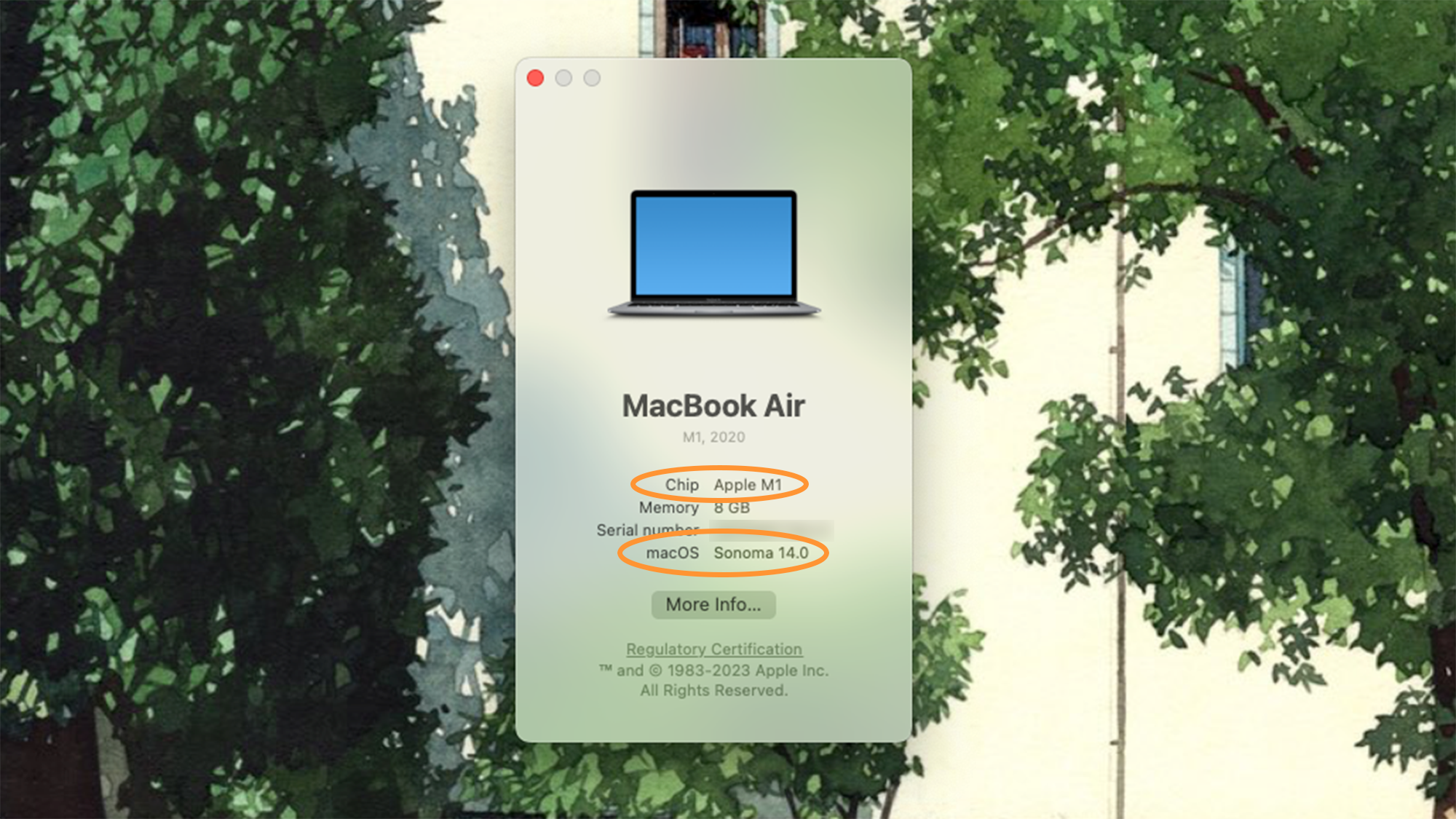 To activate animated hand gestures, you need the right hardware and software. Screenshot: Apple
You can use the same window to check your macOS version. If it’s Sonoma, you’re good to go. Otherwise, click More info, which will take you to Settings. There, go to General, then Software Update to have your machine scan for, download, and install newer versions of the operating system. Your computer should automatically tell you if you can upgrade to the latest version of the OS, but you can also check Apple’s official list of compatible devices.
[Related: 6 new features in macOS Sonoma you have to try]
If your machine cannot handle macOS Sonoma and is not equipped with Apple Silicon, we’re happy to tell you that there’s still a way to enable hand gestures on your video calls: using the Continuity Camera feature. This capability is available on devices running software as old as macOS 13, and it’ll let you use your iPhone as a webcam for video calls on your computer. You will need an iPhone running at least iOS 16 and signed into the same Apple ID as your Mac machine.
How to use hand gesture reactions on macOS
1. Open FaceTime or another video call platform that supports the feature. Google Meet, Microsoft Teams, or Zoom will do the trick.
2. Activate your camera and you’ll see the Video menu button appear on the main macOS navigation bar—it’s a bright green button with a white camera. Click it and make sure Reactions is selected. This will activate the feature.
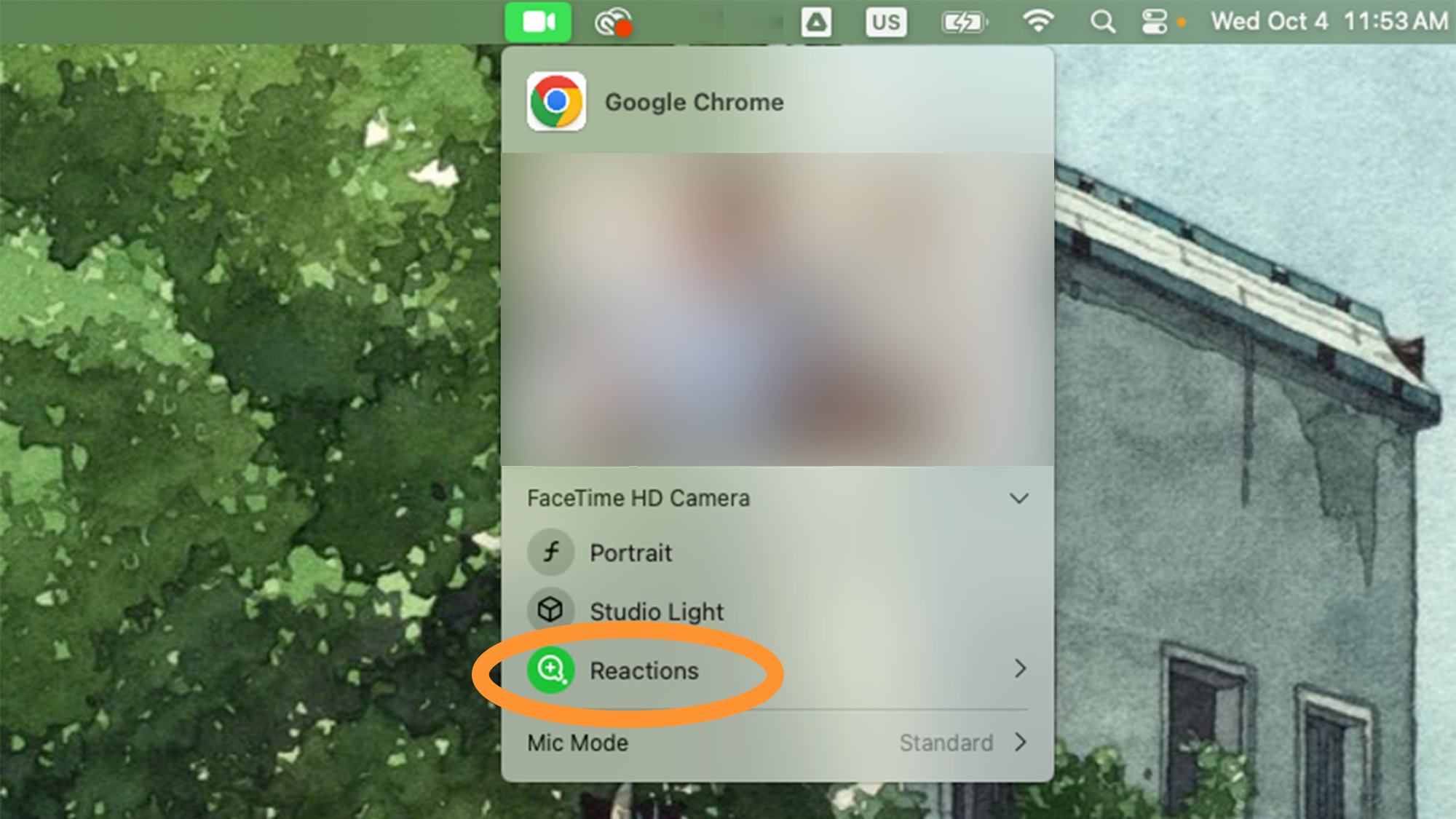 You’ll see this bright green button whenever your Apple device’s camera is active. Screenshot: Apple
3. Back on your video call, you’ll be able to make predetermined hand gestures to trigger animated reactions. For example, give a thumbs up or a thumbs down and you’ll see a gray bubble with the relevant emoji.
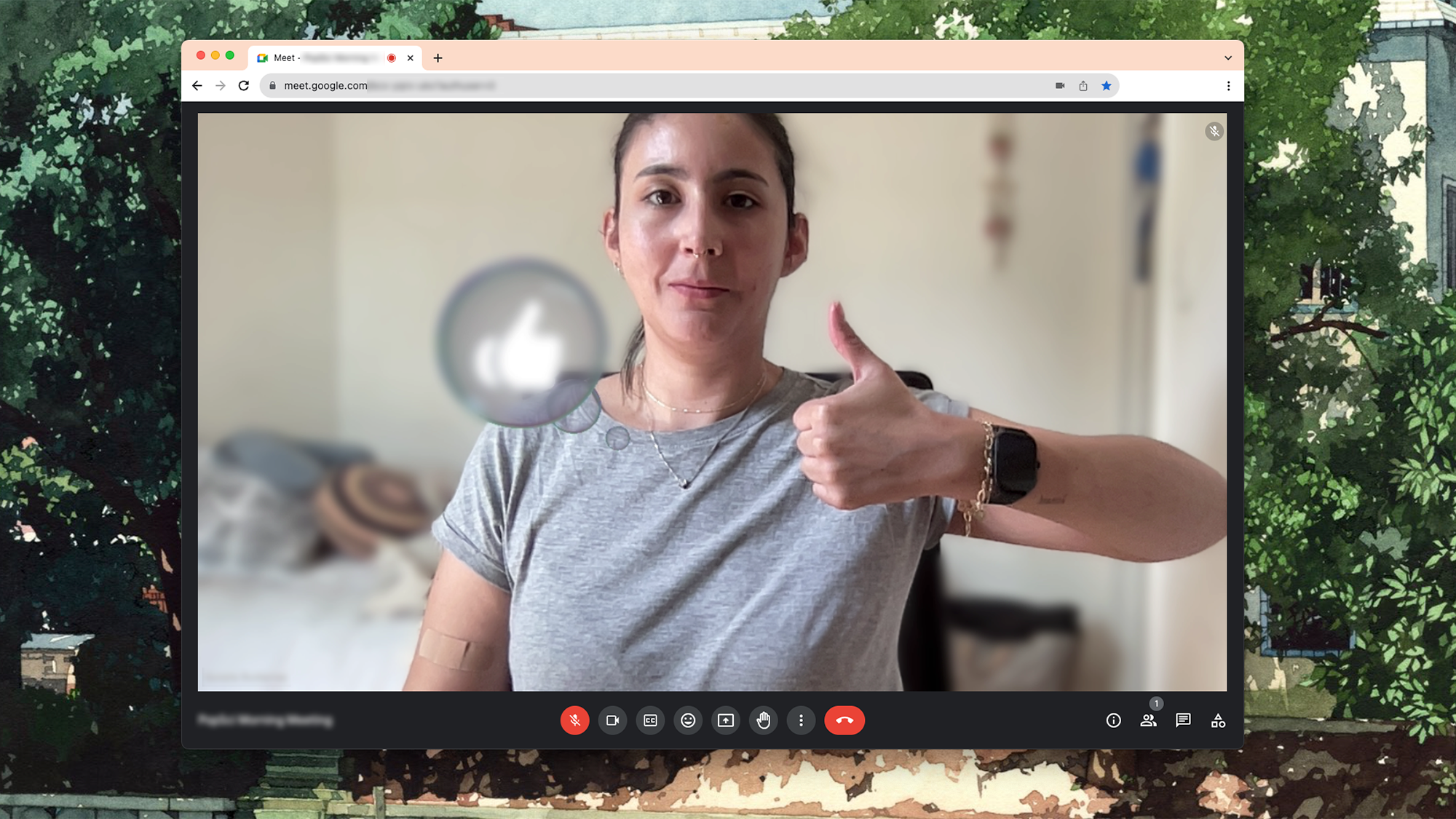 That’s what we call enthusiastic consent. Screenshot: Google
You can also use both hands to make a love gesture, and small red hearts will bubble up on top of your camera feed.
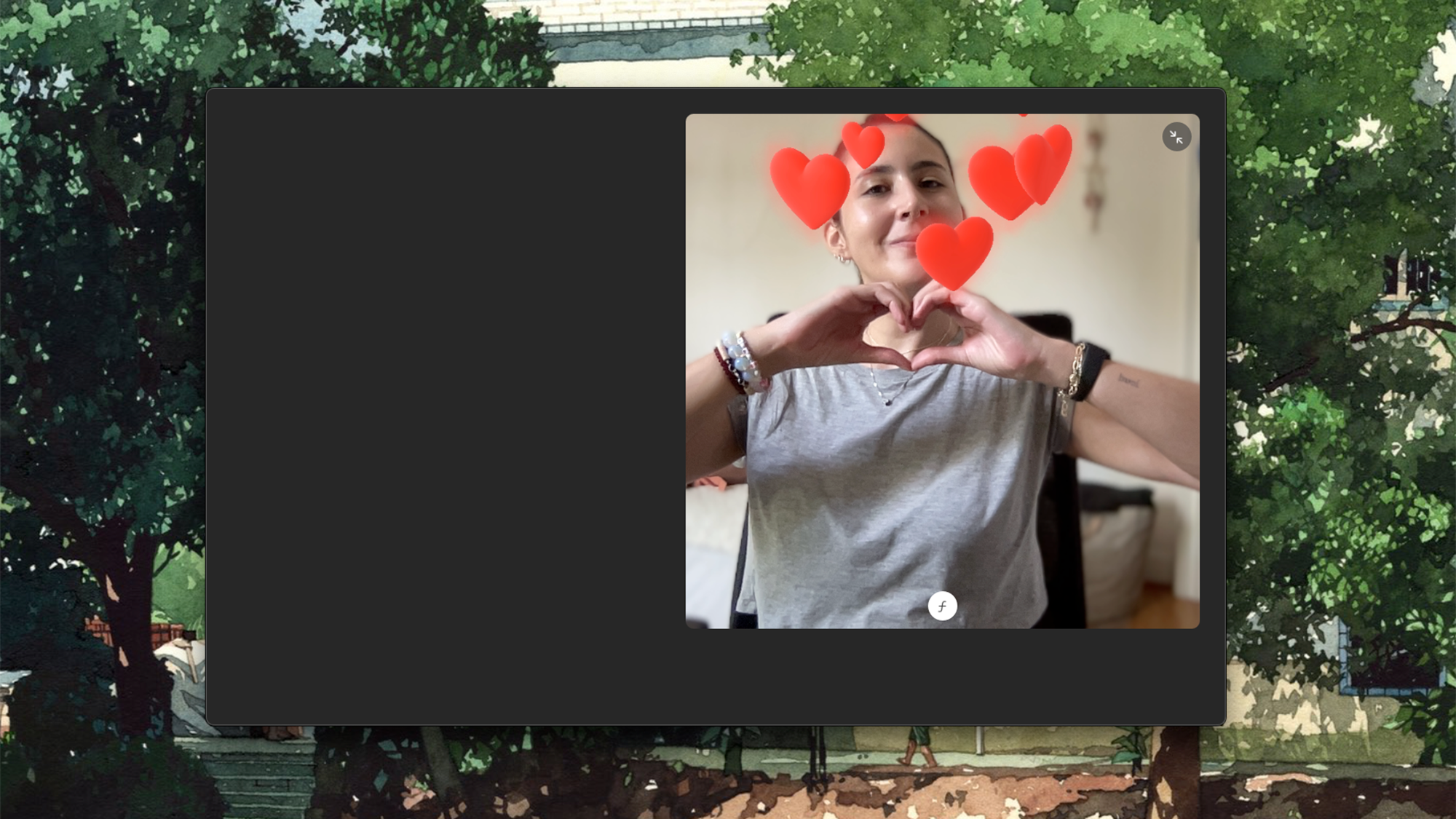 This is the gesture yo make when the meeting is over ahead of schedule. Screenshot: Apple
Or generate a cool laser effect by making a rad rock ‘n’ roll gesture. Just keep in mind that this might be an offensive gesture in some cultures, so be mindful of your audience.
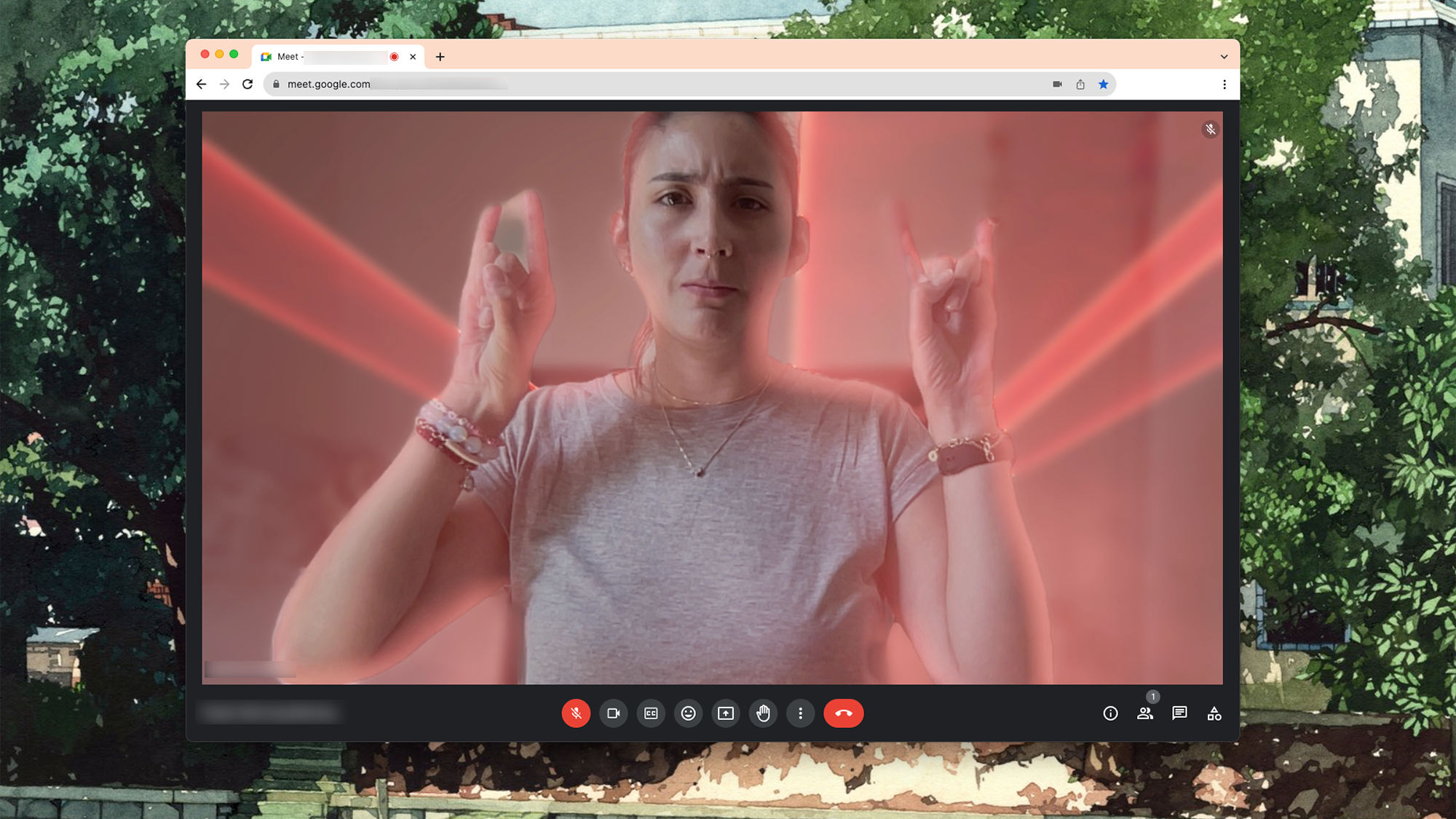 Are we taking this meeting from an underground techno club? Maybe. Screenshot: Google
Maybe release some celebratory balloons by making a peace sign.
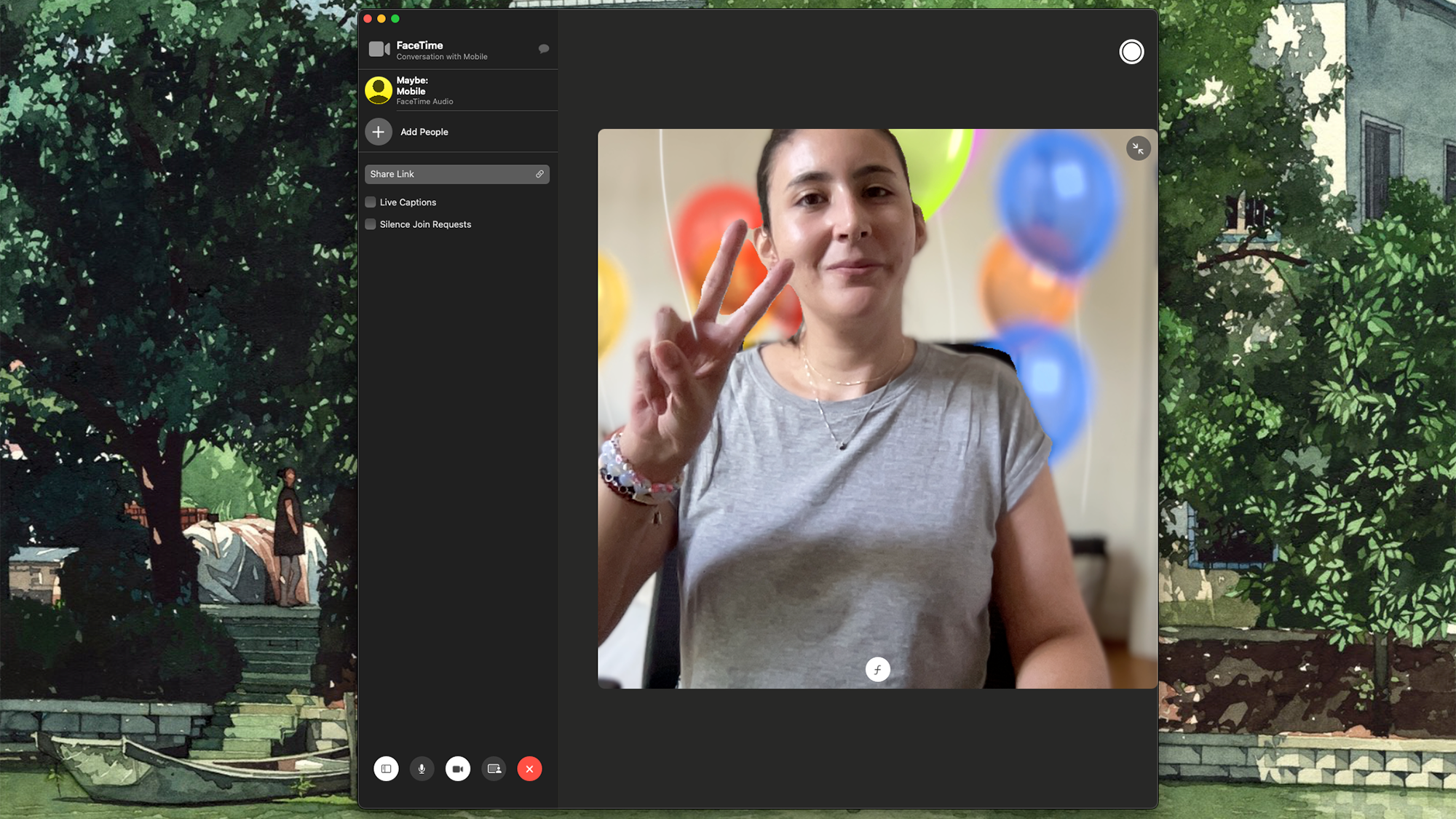 Sure, a peace sign can be incredibly festive. Screenshot: Apple
Beyond these, Apple has a full list of gestures you can make—it’s not long but we would not be surprised if they add more over time.
Five pro tips when using hand gestures on macOS
Perfecting your hand gesture reactions will take some time, but we have some recommendations that will have your friends and family gasping during your next catch-up.
Make marked gestures
We got the best results when making very neat gestures. For that, how you angle your hands is extremely important. For example, the rock ‘n’ roll gesture triggered the laser animation more consistently if the back or front of our wrist was facing the camera—aiming our indexes and pinkies at the camera resulted in absolutely no reaction.
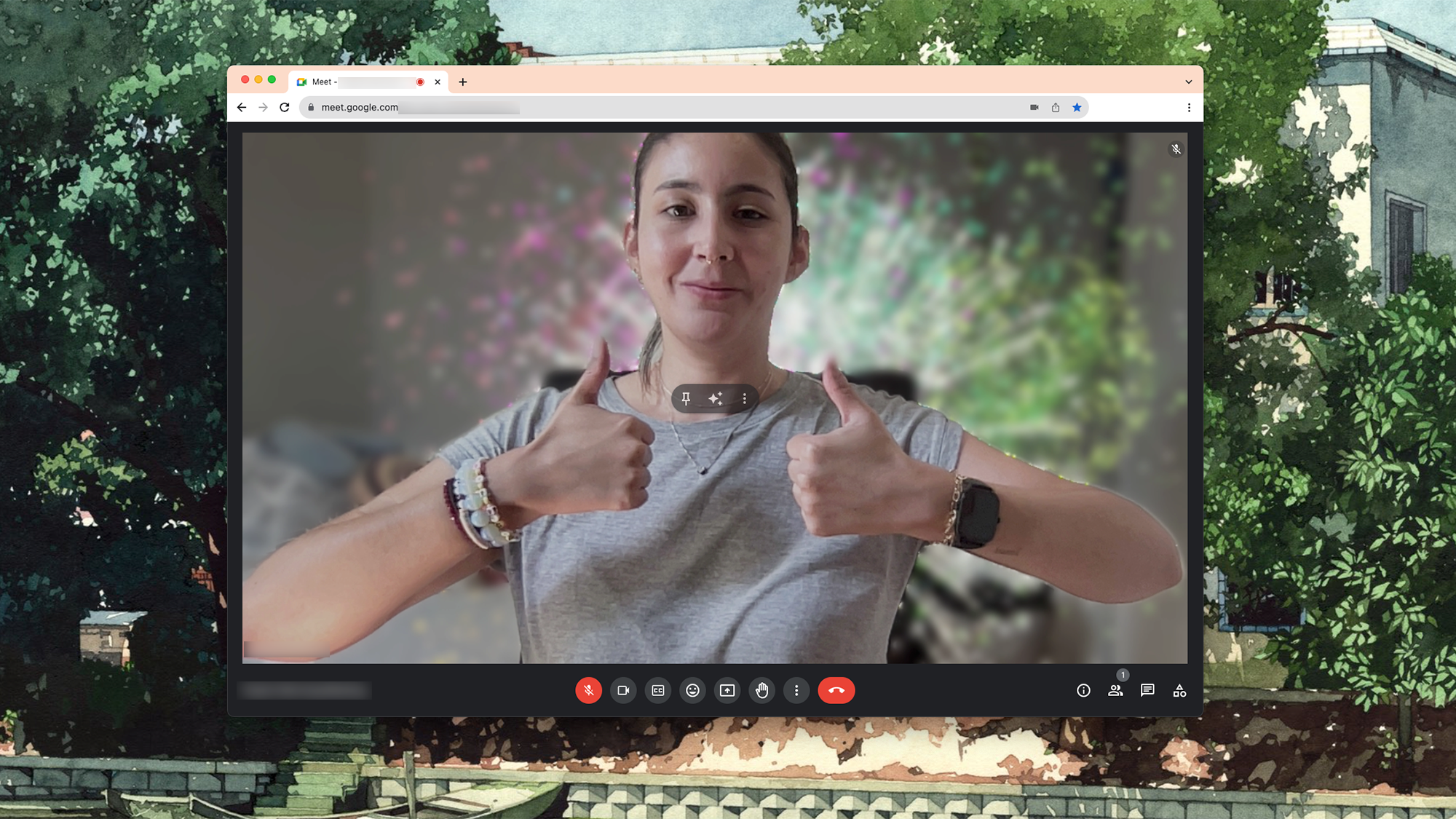 Fireworks will make it clear to your boss just how much you like working for them. Screenshot: Google
Keep your hands away from your face and body
It’s easier for your Mac to recognize your hand gesture in contrast with your background. If you make a peace sign by partially covering your face, it’s possible you won’t trigger a reaction, or that the animation will take longer to appear.
[Related: 6 great features to try out on iOS 17]
Give your machine some time to react
Computers are smart and fast—but never as quick as we’d like them to be. When making your hand gesture, hold your pose for a second or two to allow your machine to recognize it and react accordingly.
Skip the hand gestures altogether
If you like the animated reactions but are not willing to try (and fail) to trigger an effect in front of your colleagues, just skip the gestures. When on a video call, open the Video menu on the main macOS navigation bar. On the emerging menu, click the arrow next to Reactions and you’ll see a quick menu of emojis you can select—these are the same ones you can trigger with hand gestures.
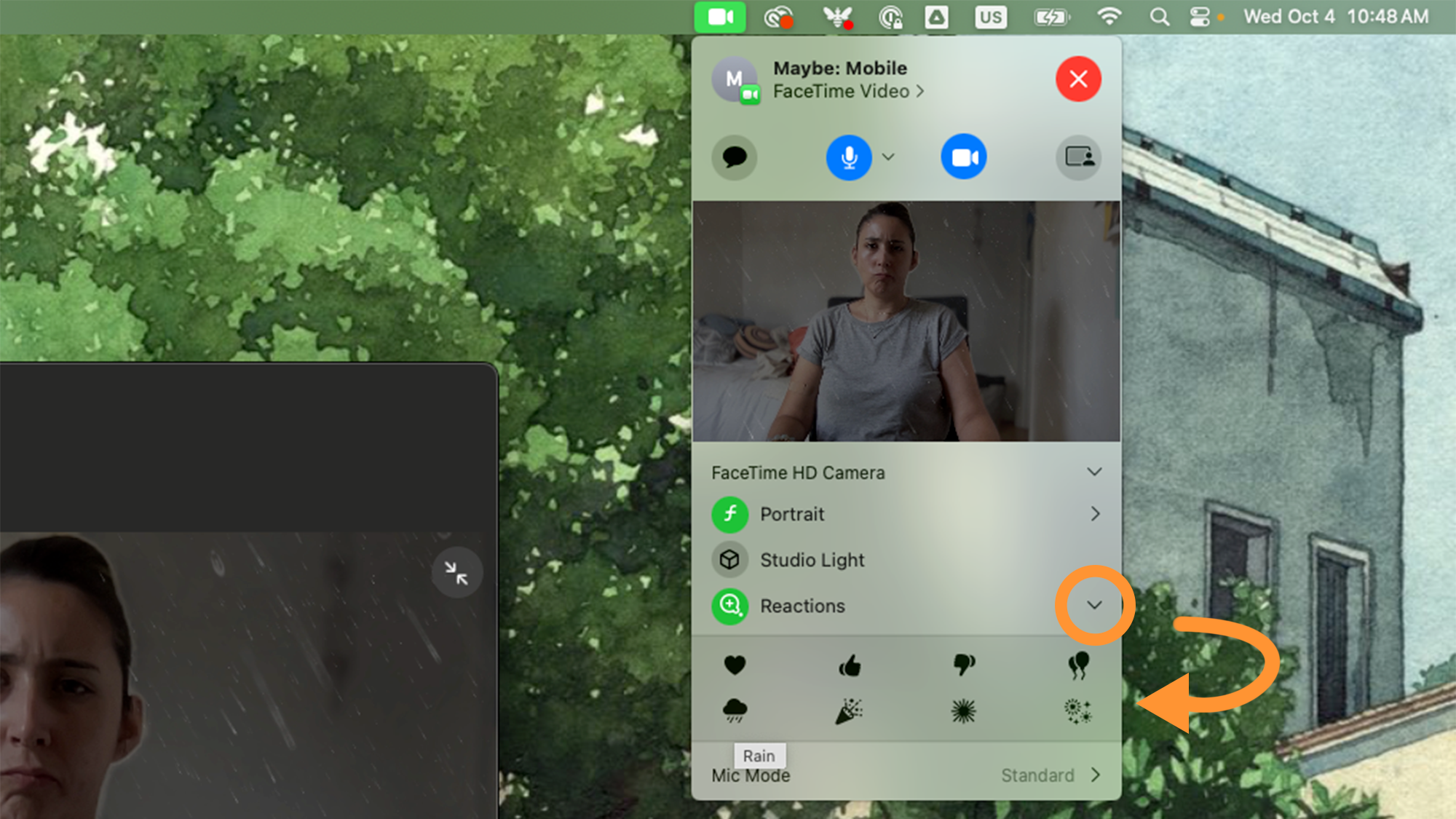 You can save yourself the trouble of making a gesture your machine will understand. Screenshot: Apple
Deactivate visual effects and virtual backdrops to better showcase animated reactions
If you use a virtual backdrop or any kind of built-in visual effect on your video calls, it’ll affect how your animated hand gestures show on your camera feed. For example, if you use a blur effect to protect your privacy (or hide whatever mess is sitting behind you) the hearts, balloons or bubbles that emerge when you make a hand gesture might get caught behind the effect and look blurry or low quality. If you use a virtual backdrop, then your machine will only show the animation behind the effect’s overlay, which may not show the reaction at all or make you look, well, interesting.
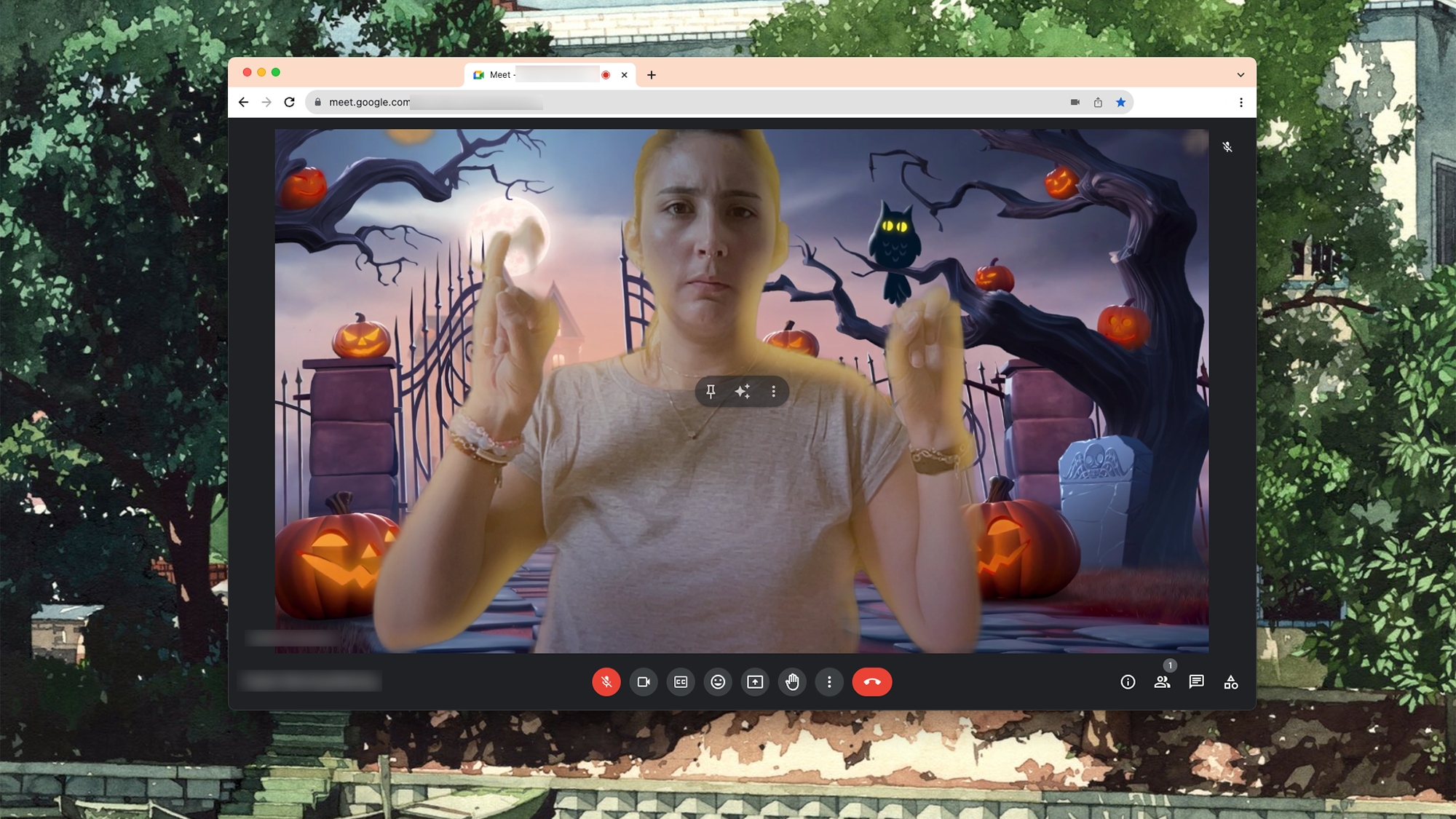 Guess we now know what were dressing as for Halloween. Screenshot: Google

>>> Read full article>>>
Copyright for syndicated content belongs to the linked Source : Popular Science – https://www.popsci.com/diy/mac-hand-gesture-reactions/



