





* . *
  • About
  • Advertise
  • Privacy & Policy
  • Contact
Saturday, January 10, 2026
Earth-News
  • Home
  • Business
  • Entertainment

    Catch the Exciting Live Reveal of the RodeoHouston Entertainment Lineup – Streaming Now!

    Unlock Every Moment with the Ultimate Entertainment Companion

    Primate Review: Wild Monkey Chaos Sparks a Heart-Pounding Horror Ride

    PENN Entertainment Reveals Dynamic New Corporate Structure to Drive Growth

    From Emergency Room to Excitement: Inside the Thrilling New Indoor Entertainment Venue

    2026 in Focus: 6 Game-Changing Media and Entertainment Trends You Can’t Miss

  • General
  • Health
  • News

    Cracking the Code: Why China’s Economic Challenges Aren’t Shaking Markets, Unlike America’s” – Bloomberg

    Trump’s Narrow Window to Spread the Truth About Harris

    Trump’s Narrow Window to Spread the Truth About Harris

    Israel-Gaza war live updates: Hamas leader Ismail Haniyeh assassinated in Iran, group says

    Israel-Gaza war live updates: Hamas leader Ismail Haniyeh assassinated in Iran, group says

    PAP Boss to Niger Delta Youths, Stay Away from the Protest

    PAP Boss to Niger Delta Youths, Stay Away from the Protest

    Court Restricts Protests In Lagos To Freedom, Peace Park

    Court Restricts Protests In Lagos To Freedom, Peace Park

    Fans React to Jazz Jennings’ Inspiring Weight Loss Journey

    Fans React to Jazz Jennings’ Inspiring Weight Loss Journey

    Trending Tags

    • Trump Inauguration
    • United Stated
    • White House
    • Market Stories
    • Election Results
  • Science
  • Sports
  • Technology

    16 Game-Changing Accounting Technology Predictions That Will Transform 2026

    Nevada Gaming Control Board Welcomes Visionary New Chief of Technology

    The Most Successful Information Technology in History Is the One We Rarely Notice

    Delta CIO Rahul Samant to Retire After Leading Groundbreaking Technology Transformation

    From Awareness to Action: Empowering Change with Survivor-Centered Policies and Cutting-Edge Technology to Combat Human Trafficking

    Wegmans’ Use of Facial Recognition Technology Raises Alarms Over Privacy

    Trending Tags

    • Nintendo Switch
    • CES 2017
    • Playstation 4 Pro
    • Mark Zuckerberg
No Result
View All Result
  • Home
  • Business
  • Entertainment

    Catch the Exciting Live Reveal of the RodeoHouston Entertainment Lineup – Streaming Now!

    Unlock Every Moment with the Ultimate Entertainment Companion

    Primate Review: Wild Monkey Chaos Sparks a Heart-Pounding Horror Ride

    PENN Entertainment Reveals Dynamic New Corporate Structure to Drive Growth

    From Emergency Room to Excitement: Inside the Thrilling New Indoor Entertainment Venue

    2026 in Focus: 6 Game-Changing Media and Entertainment Trends You Can’t Miss

  • General
  • Health
  • News

    Cracking the Code: Why China’s Economic Challenges Aren’t Shaking Markets, Unlike America’s” – Bloomberg

    Trump’s Narrow Window to Spread the Truth About Harris

    Trump’s Narrow Window to Spread the Truth About Harris

    Israel-Gaza war live updates: Hamas leader Ismail Haniyeh assassinated in Iran, group says

    Israel-Gaza war live updates: Hamas leader Ismail Haniyeh assassinated in Iran, group says

    PAP Boss to Niger Delta Youths, Stay Away from the Protest

    PAP Boss to Niger Delta Youths, Stay Away from the Protest

    Court Restricts Protests In Lagos To Freedom, Peace Park

    Court Restricts Protests In Lagos To Freedom, Peace Park

    Fans React to Jazz Jennings’ Inspiring Weight Loss Journey

    Fans React to Jazz Jennings’ Inspiring Weight Loss Journey

    Trending Tags

    • Trump Inauguration
    • United Stated
    • White House
    • Market Stories
    • Election Results
  • Science
  • Sports
  • Technology

    16 Game-Changing Accounting Technology Predictions That Will Transform 2026

    Nevada Gaming Control Board Welcomes Visionary New Chief of Technology

    The Most Successful Information Technology in History Is the One We Rarely Notice

    Delta CIO Rahul Samant to Retire After Leading Groundbreaking Technology Transformation

    From Awareness to Action: Empowering Change with Survivor-Centered Policies and Cutting-Edge Technology to Combat Human Trafficking

    Wegmans’ Use of Facial Recognition Technology Raises Alarms Over Privacy

    Trending Tags

    • Nintendo Switch
    • CES 2017
    • Playstation 4 Pro
    • Mark Zuckerberg
No Result
View All Result
Earth-News
No Result
View All Result
Home Technology

5 Features Introduced In Windows 95 That You’re Still Using Today

October 15, 2023
in Technology
5 Features Introduced In Windows 95 That You’re Still Using Today
Share on FacebookShare on Twitter

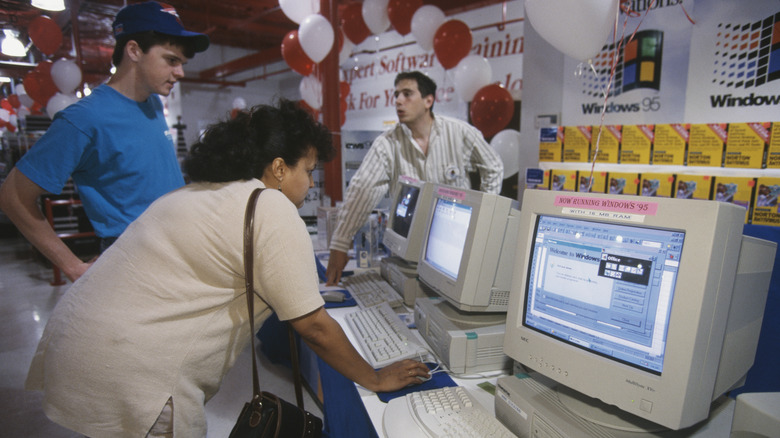
Windows 95 launch event

Brooks Kraft/Getty Images

In 1995, Microsoft released the first iteration of what would become the Windows 9x series of home operating systems, the aptly named Windows 95. Windows had already been a prominent player in the home computing scene for a good few years prior to this with its release of Windows 3.0 and its subsequent updates, but Windows 95 was when the brand really started to hit its stride, cementing itself as the definitive face of personal computers (or at least, non-Apple personal computers).

Windows 95 introduced various features into the Windows paradigm, and while many of those features have either been pruned or overhauled in the nearly three decades since, some still endure into modern Windows versions. While they may not exist in exactly the same forms as they first arrived, it’s a fact that many of the Windows staples we take for granted these days can be traced back to that fateful release in the summer of ’95.

Start button
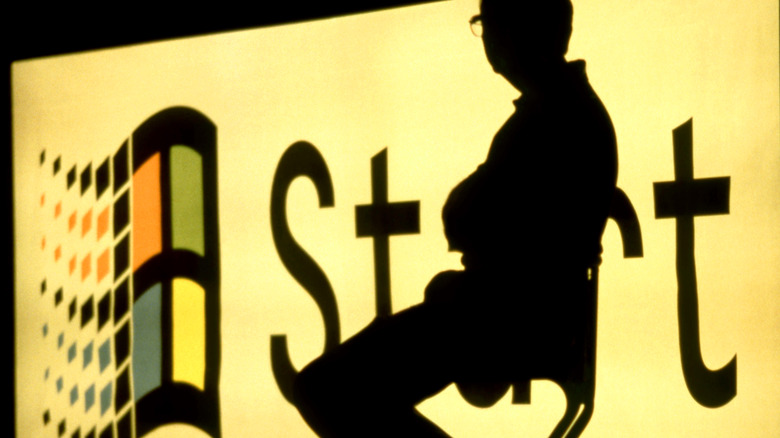
Shadowed man in front of Windows Start

William Nation/Getty Images

One of the most iconic features of the Windows design is the Start button, that little button on the bottom of your PC screen. While current iterations of the Start button only feature the Windows logo, in the olden days, starting with Windows 95, it was a large, steel-colored button with the word “Start” proudly emblazoned in bold black. Not only was the Start menu a convenient one-stop-shop for users, but it was also a great jumping-off point for newcomers to personal computing. Not sure where to start? Just start at the Start!

The original Start menu was slightly more condensed than the current version, sorting files and functions into six categories. You had your programs list, quick access to your documents folder, your settings menu, a Find function for searching for files, a help menu for learning about your computer’s functions, and a Run function for the file path-minded who already knew what they were doing.

Taskbar
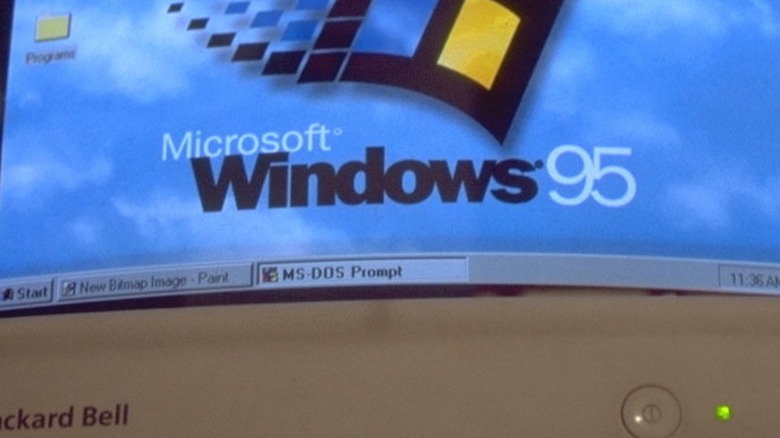
Windows 95 taskbar

Rick Maiman/Getty Images

Older versions of Windows would leave all of your open programs and file windows floating around in space. If you lost track of something, you’d have to manually move or close your windows until you managed to track it down again. This was thankfully remedied in Windows 95 with the addition of the Taskbar, the gray bar at the bottom of the screen that housed both your Start button and your system clock.

Whenever you opened a program or file in Windows 95, a rectangular Taskbar icon would appear, which you could click on to immediately call that window to the front. Later updates to Windows 95 also added a quick-launch sub-bar, which you could link programs to and quickly launch them. This quick-launch icon format has gone on to become the default setup for the Taskbar in current versions of Windows, integrating with the existing window format to help condense your running programs.

Plug and play
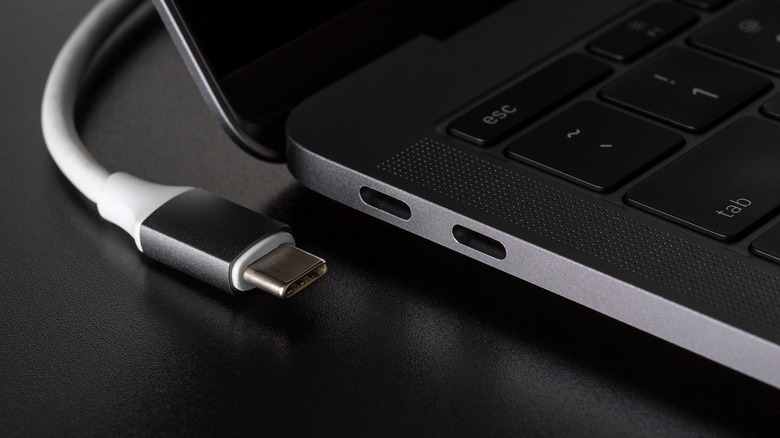
Laptop USB ports

Pic Media Aus/Shutterstock

Before Windows 95, if you wanted to plug some kind of peripheral device into your home computer (besides a keyboard, which was often built into the system), you’d have to manually configure internal settings and even activate physical dip switches to properly accommodate whatever you were hooking up. It was unwieldy, to say the least, which is what makes the introduction of Plug and Play functionality in Windows 95 such a godsend.

In Windows 95, and every Windows version since, you can simply plug a device right into an open port on your PC, and Windows will immediately detect it and configure it for your use, or at least attempt to. The feature wasn’t quite perfect when it was first introduced, as a lot of universal hardware and software standards hadn’t yet been established in the industry to facilitate quick connections. Still, the groundwork was laid, and nowadays, adding a new device to your system couldn’t be simpler.

Recycling Bin

Recycling bin icons

Runeer/Getty Images

In the 1980s, Apple was looking to race to the front of the visual user interface scene with distinctive icons and functions. One of those functions was its Trash folder, which would automatically wipe any deleted files when a computer was restarted. In ’88, Apple actually sued both Microsoft and Hewlett-Packard for developing visual systems with icons that it deemed too similar. Microsoft won this case, but with one caveat: the design for its Trash function was too close to Apple’s, and needed to be changed. Thus, with the release of Windows 95, the Recycling Bin was born.

Unlike the deletion functions on Mac or MS-DOS, the Recycling Bin acts more as a temporary folder, allowing users to double-check what they’ve deleted before they clear out the space. That’s been the mainstay format for the Recycling Bin in all Windows versions since, serving as a last line of defense for the absent-minded in preserving important, accidentally deleted files.

Long file names
Laptop files

MarutStudio/Shutterstock

In both MS-DOS and the earliest versions of Windows, a file name could be a maximum of eight characters, plus a three-character file extension. If you were saving important documents, for example, you’d need to give everything heavily-abbreviated codenames in order to meet the file name limit. Thankfully, this changed with the release of Windows 95, which swapped out the existing file allocation table framework with the updated virtual file allocation table system.

With this increase in file variability, your file names could be a whopping 255 characters long, plus a longer file extension. It may seem like a small feature, comparatively, but if it weren’t for this change, you wouldn’t be able to give your school and work files descriptive names, nor would you be able to use some of the file formats we take for granted like JPEG or HTML. Computing would be a lot more abstract without this humble tweak.

>>> Read full article>>>
Copyright for syndicated content belongs to the linked Source : SlashGear – https://www.slashgear.com/1415611/features-introduced-in-windows-95-still-using-today/


Tags: FeaturesIntroducedtechnology
Previous Post

Terrible Habits That Are Slashing The Life Of Your Tires Fast

Next Post

10 Jaw-Dropping Celebrity Owned Cars That Will Always Turn Heads

Unlock the Secrets to a Longer, Healthier Life with Tom Taylor’s New Book “Lifestyle and Longevity

January 10, 2026

16 Game-Changing Accounting Technology Predictions That Will Transform 2026

January 10, 2026

New Novant Health Court Unveiled at USCB Alongside Exciting Sports Partnership Announcement

January 10, 2026

Germany Picks Winston-Salem as Their Ultimate World Cup Headquarters

January 9, 2026

How Iran’s Revolutionary Guard Is Crushing the Nation’s Currency Crisis

January 9, 2026

Catch the Exciting Live Reveal of the RodeoHouston Entertainment Lineup – Streaming Now!

January 9, 2026

MIT named to prestigious 2026 honor roll for mental health services – MIT News

January 9, 2026

Exploring America’s Captivating History of Interest in Greenland

January 9, 2026

Commerce Releases Updated Greenhouse Gas Emissions Data for State Climate Report

January 9, 2026

‘How can all of this be happening?’: Scientists spot massive group of ancient galaxies so hot they shouldn’t exist – Live Science

January 9, 2026

Categories

Archives

January 2026
M T W T F S S
 1234
567891011
12131415161718
19202122232425
262728293031  
« Dec    
Earth-News.info

The Earth News is an independent English-language daily published Website from all around the World News

Browse by Category

  • Business (20,132)
  • Ecology (1,013)
  • Economy (1,032)
  • Entertainment (21,908)
  • General (19,236)
  • Health (10,072)
  • Lifestyle (1,045)
  • News (22,149)
  • People (1,038)
  • Politics (1,046)
  • Science (16,247)
  • Sports (21,532)
  • Technology (16,015)
  • World (1,021)

Recent News

Unlock the Secrets to a Longer, Healthier Life with Tom Taylor’s New Book “Lifestyle and Longevity

January 10, 2026

16 Game-Changing Accounting Technology Predictions That Will Transform 2026

January 10, 2026
  • About
  • Advertise
  • Privacy & Policy
  • Contact

© 2023 earth-news.info

No Result
View All Result

© 2023 earth-news.info

No Result
View All Result

© 2023 earth-news.info

Go to mobile version
