





* . *
  • About
  • Advertise
  • Privacy & Policy
  • Contact
Thursday, January 22, 2026
Earth-News
  • Home
  • Business
  • Entertainment

    Why Netflix’s Long-Form Entertainment Is Shaping the Future of the Industry, According to Media Mogul Tom Rogers

    From Horror Hit to Global Sensation: The Rise of Mob Entertainment’s Thriving Transmedia Empire

    Everything We Know So Far About National Harbor’s “Mini Sphere” – washingtonian.com

    A Look At Ubisoft Entertainment (ENXTPA:UBI) Valuation After Recent Share Price Rebound – Yahoo Finance

    Is It Too Late to Ride the Wave of Sphere Entertainment’s Las Vegas Buzz?

    ENTERTAINMENT: ‘Mean Girls,’ ‘Mark Twain’ on stages in LR, Fayetteville – The Arkansas Democrat-Gazette

  • General
  • Health
  • News

    Cracking the Code: Why China’s Economic Challenges Aren’t Shaking Markets, Unlike America’s” – Bloomberg

    Trump’s Narrow Window to Spread the Truth About Harris

    Trump’s Narrow Window to Spread the Truth About Harris

    Israel-Gaza war live updates: Hamas leader Ismail Haniyeh assassinated in Iran, group says

    Israel-Gaza war live updates: Hamas leader Ismail Haniyeh assassinated in Iran, group says

    PAP Boss to Niger Delta Youths, Stay Away from the Protest

    PAP Boss to Niger Delta Youths, Stay Away from the Protest

    Court Restricts Protests In Lagos To Freedom, Peace Park

    Court Restricts Protests In Lagos To Freedom, Peace Park

    Fans React to Jazz Jennings’ Inspiring Weight Loss Journey

    Fans React to Jazz Jennings’ Inspiring Weight Loss Journey

    Trending Tags

    • Trump Inauguration
    • United Stated
    • White House
    • Market Stories
    • Election Results
  • Science
  • Sports
  • Technology

    Inside the Minds of the Visionary Healthcare Technology CEOs Shaping 2025

    Carba Unveils Groundbreaking Technology at Burnsville Facility

    “Most countries and institutions continue to seek Israeli technology” – CTech

    Zylox-Tonbridge Poised to Acquire Leading German Medical Technology Innovator Optimed

    Next-Gen Surgical Tools: How Immersive Technology Is Revolutionizing Smarter, Safer Surgeries

    Leica DISTO S910 Laser Distance Meter – P2P Technology, 300m Range, With Tripod & Case – umlconnector.com

    Trending Tags

    • Nintendo Switch
    • CES 2017
    • Playstation 4 Pro
    • Mark Zuckerberg
No Result
View All Result
  • Home
  • Business
  • Entertainment

    Why Netflix’s Long-Form Entertainment Is Shaping the Future of the Industry, According to Media Mogul Tom Rogers

    From Horror Hit to Global Sensation: The Rise of Mob Entertainment’s Thriving Transmedia Empire

    Everything We Know So Far About National Harbor’s “Mini Sphere” – washingtonian.com

    A Look At Ubisoft Entertainment (ENXTPA:UBI) Valuation After Recent Share Price Rebound – Yahoo Finance

    Is It Too Late to Ride the Wave of Sphere Entertainment’s Las Vegas Buzz?

    ENTERTAINMENT: ‘Mean Girls,’ ‘Mark Twain’ on stages in LR, Fayetteville – The Arkansas Democrat-Gazette

  • General
  • Health
  • News

    Cracking the Code: Why China’s Economic Challenges Aren’t Shaking Markets, Unlike America’s” – Bloomberg

    Trump’s Narrow Window to Spread the Truth About Harris

    Trump’s Narrow Window to Spread the Truth About Harris

    Israel-Gaza war live updates: Hamas leader Ismail Haniyeh assassinated in Iran, group says

    Israel-Gaza war live updates: Hamas leader Ismail Haniyeh assassinated in Iran, group says

    PAP Boss to Niger Delta Youths, Stay Away from the Protest

    PAP Boss to Niger Delta Youths, Stay Away from the Protest

    Court Restricts Protests In Lagos To Freedom, Peace Park

    Court Restricts Protests In Lagos To Freedom, Peace Park

    Fans React to Jazz Jennings’ Inspiring Weight Loss Journey

    Fans React to Jazz Jennings’ Inspiring Weight Loss Journey

    Trending Tags

    • Trump Inauguration
    • United Stated
    • White House
    • Market Stories
    • Election Results
  • Science
  • Sports
  • Technology

    Inside the Minds of the Visionary Healthcare Technology CEOs Shaping 2025

    Carba Unveils Groundbreaking Technology at Burnsville Facility

    “Most countries and institutions continue to seek Israeli technology” – CTech

    Zylox-Tonbridge Poised to Acquire Leading German Medical Technology Innovator Optimed

    Next-Gen Surgical Tools: How Immersive Technology Is Revolutionizing Smarter, Safer Surgeries

    Leica DISTO S910 Laser Distance Meter – P2P Technology, 300m Range, With Tripod & Case – umlconnector.com

    Trending Tags

    • Nintendo Switch
    • CES 2017
    • Playstation 4 Pro
    • Mark Zuckerberg
No Result
View All Result
Earth-News
No Result
View All Result
Home Technology

How To Check Your Raspberry Pi 5 CPU & RAM Usage

April 30, 2024
in Technology
How To Check Your Raspberry Pi 5 CPU & RAM Usage
Share on FacebookShare on Twitter

Raspberry Pi logo in browser

Postmodern Studio/Shutterstock

By Brad Hill/April 30, 2024 6:15 am EST

Raspberry Pi is a versatile single-board computer that can be used to create your own Raspberry Pi media center or improve your hangout space, among various other uses. While a Raspberry Pi won’t replace your desktop computer if you use it for more than simple web browsing, it can be a helpful tool to accomplish some simple tasks. No matter what you’re using a Raspberry Pi for, it’s important to be able to check the CPU and RAM utilization of the board.

Knowing how much memory and CPU is being used on your computer is useful information if you want to add a new task for the device to accomplish, or troubleshoot when things aren’t running as smoothly as they once were. Raspberry Pis can’t be modified to accommodate more RAM, so if things aren’t functioning properly and it’s because of the RAM or CPU, you may need to purchase a more efficient model. And the best place to start troubleshooting is seeing which tasks are utilizing the most memory.

Since Raspberry Pi OS is a version of the Linux operating system, checking CPU and RAM usage isn’t always as straightforward as the majority of computer users are used to with things like Windows or Mac. Sometimes, you can use a mouse like you’re used to, and other times, you can only use the keyboard because there isn’t a traditional desktop to navigate.

Just like a Windows desktop
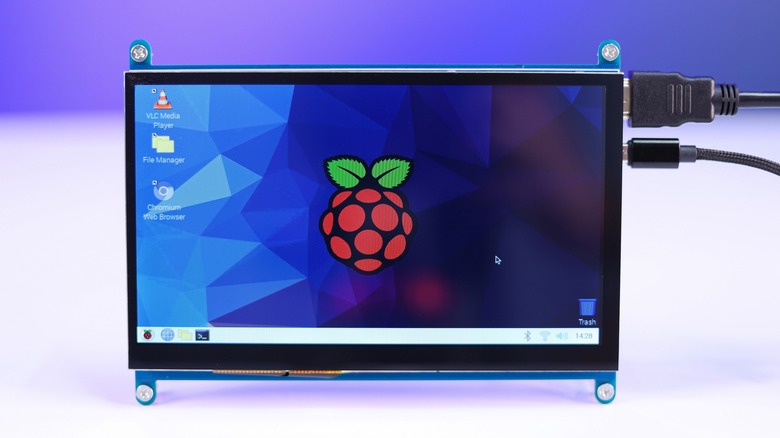
Raspberry Pi desktop

trickyaamir/Shutterstock

For those who have Raspberry Pi with Desktop, it’s not much different than checking the RAM and CPU usage on a Windows PC. The first step is to click on the little Raspberry symbol in the top-left corner of the screen. That will bring up the main menu with multiple options: From there, scroll over the Accessories label and another menu will appear. Click on “Task Manager,” and it will bring up a window with all the information.

The Task Manager will display two meters at the top that show the CPU and RAM usage, along with the processes running and how much of each they’re using below. In the meter bars at the top of the menu, CPU usage is shown in a percentage, while memory is measured in megabytes. However, when looking at how much each program is using individually, the memory is displayed in Resident Set Size (RSS).

‘Free’ the command line
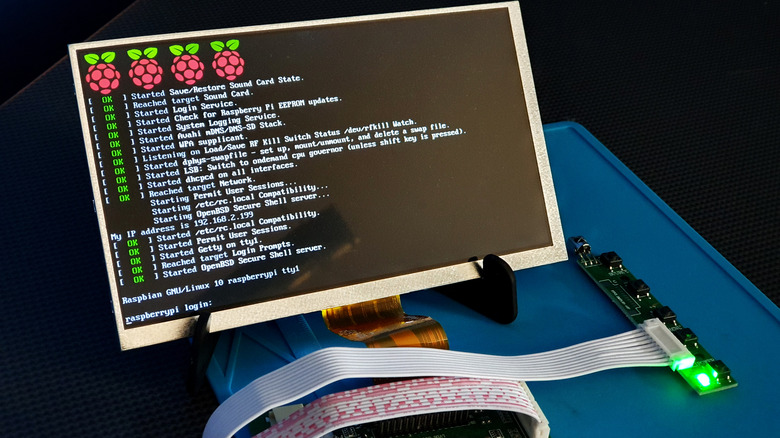
Raspberry Pi terminal

mattcabb/Shutterstock

Not every Raspberry Pi OS has a graphical interface, which is how the majority of computer users are accustomed to interacting with programs and functions. For example, those with Raspberry Pi OS Lite won’t have the use of a mouse to navigate the operating system. Instead, they see the command line rather than a typical desktop with icons and a wallpaper. However, it’s still possible to check CPU and RAM usage this way.

If using the command line, simply type in the command “Free” and an overview of the memory usage will appear. The data displayed here will show the total memory, how much is being used, and the amount still available. There’s also a row displaying the different totals for swap. Think of the swap file on a Raspberry Pi as additional RAM — it’s virtual memory that kicks in when the device is at its memory limits.

Unfortunately, the “Free” command doesn’t display the processes using memory. To get a detailed look, use the “ps” command and the terminal will show all the tasks using up memory in a column labeled “%MEM.”

Command top
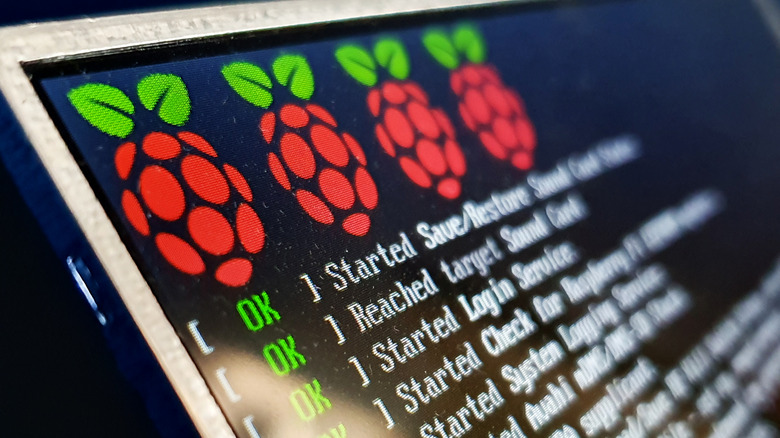
Raspberry Pi terminal

mattcabb/Shutterstock

The Terminal is a quick and easy way to navigate directories in a Linux system. Every computer has a terminal, and it’s especially easy to access on a Raspberry Pi. Raspberry Pi with Desktop has a Terminal button in the taskbar. Click on that, and it opens up a new window where users can type simple commands to navigate file directories and utilize different programs. Another way to access the Terminal is by going to the main menu, clicking on Accessories, and selecting Terminal.

While the “free” command is a simple way to look at memory usage on a Raspberry Pi, it doesn’t display CPU usage. For that, you can type “top” into the command line and get a detailed look amount of the CPU and RAM being used. They’ll be displayed in the columns labeled “%CPU” and “%MEM.” You can sort the different data points by pressing Shift + M, and it will prioritize the most demanding processes at the top.

An updated version of the “top” command is “htop.” This command is similar to “top,” but it adds a splash of color to make things easier to read, as well as a continual update of the metrics. Sometimes “htop” isn’t pre-installed on Raspberry Pi, but it’s easy enough to install it. If you’re Raspberry Pi doesn’t have the “htop” command by default, simply open up the command line and enter the command “sudo apt install htop.” Once that’s done, you only need to type in the command “htop” from now on.

>>> Read full article>>>
Copyright for syndicated content belongs to the linked Source : SlashGear – https://www.slashgear.com/1569801/how-to-check-raspberry-pi-5-cpu-ram-and-usage/


Tags: Checkraspberrytechnology
Previous Post

What Is The Average Credit Card Interest Rate This Week? – Forbes Advisor

Next Post

Which Cars Have A BMW S58 Engine Under The Hood?

Carney’s World Economic Forum Speech Warns of Global Breakdown – The New York Times

January 22, 2026

Azerbaijan’s Economy Set for Strong and Steady Growth, Moody’s Forecasts

January 22, 2026

Why Netflix’s Long-Form Entertainment Is Shaping the Future of the Industry, According to Media Mogul Tom Rogers

January 22, 2026

North Dakota Lawmakers Advance Ambitious Rural Health Policy Bills in Special Session

January 22, 2026

Taiwan’s Ambitious $40 Billion Military Spending Plan Hits Political Roadblock

January 22, 2026

The Inspiring Journey of Postdoc Anila Ajayan: A Tale of Passion and Discovery

January 22, 2026

How a Concord Science Museum Honors and Celebrates Christa McAuliffe’s Enduring Legacy

January 22, 2026

Quantum Computing: Unlocking Exciting New Frontiers of Possibility

January 22, 2026

Coleen Nolan Opens Up About Sister Feud After Brooklyn Beckham’s Shocking Comments

January 21, 2026

Inside the Minds of the Visionary Healthcare Technology CEOs Shaping 2025

January 21, 2026

Categories

Archives

January 2026
M T W T F S S
 1234
567891011
12131415161718
19202122232425
262728293031  
« Dec    
Earth-News.info

The Earth News is an independent English-language daily published Website from all around the World News

Browse by Category

  • Business (20,132)
  • Ecology (1,034)
  • Economy (1,050)
  • Entertainment (21,929)
  • General (19,462)
  • Health (10,092)
  • Lifestyle (1,065)
  • News (22,149)
  • People (1,059)
  • Politics (1,067)
  • Science (16,267)
  • Sports (21,552)
  • Technology (16,035)
  • World (1,042)

Recent News

Carney’s World Economic Forum Speech Warns of Global Breakdown – The New York Times

January 22, 2026

Azerbaijan’s Economy Set for Strong and Steady Growth, Moody’s Forecasts

January 22, 2026
  • About
  • Advertise
  • Privacy & Policy
  • Contact

© 2023 earth-news.info

No Result
View All Result

© 2023 earth-news.info

No Result
View All Result

© 2023 earth-news.info

Go to mobile version
