







Even if you’ve been using Windows for decades, it’s so sprawling and complex that there might be truly helpful, yet more obscure features that can still surprise you. We’ve tracked down ten little-known Windows features that might just improve your efficiency, your comfort, or possibly even your fun while using your PC.
All of them should work on both Windows 10 and 11 alike, and each only takes a few seconds to try out. Here we go, in no particular order:
Mouse hover window activation
Michael Crider/IDG
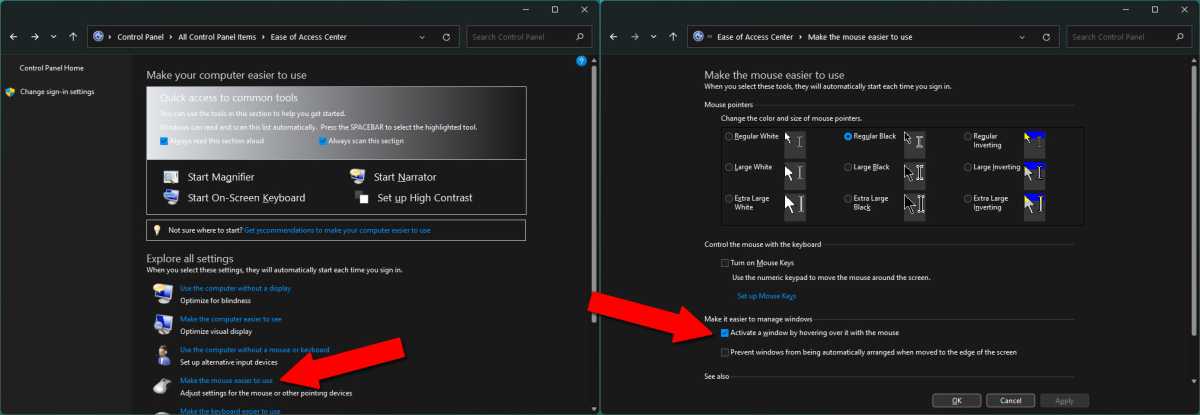
Whenever I use a new PC, this is the very first feature I enable. Technically it’s part of the accessibility tools, but many users might find it useful no matter what their level of mobility. This setting allows you to activate a window simply by moving your mouse cursor over it, instead of requiring an extra click before interacting with the program. It’s a tiny change, but one that makes a huge difference, especially on a laptop trackpad.
To change this setting, go to Control Panel, then click the Ease of Access Center. Click “Make the mouse easier to use.” Under “Make it easier to manage windows,” select “Activate a window by hovering over it with the mouse.” Click Okay to enable the setting.
Easy window arrangement
Michael Crider/IDG
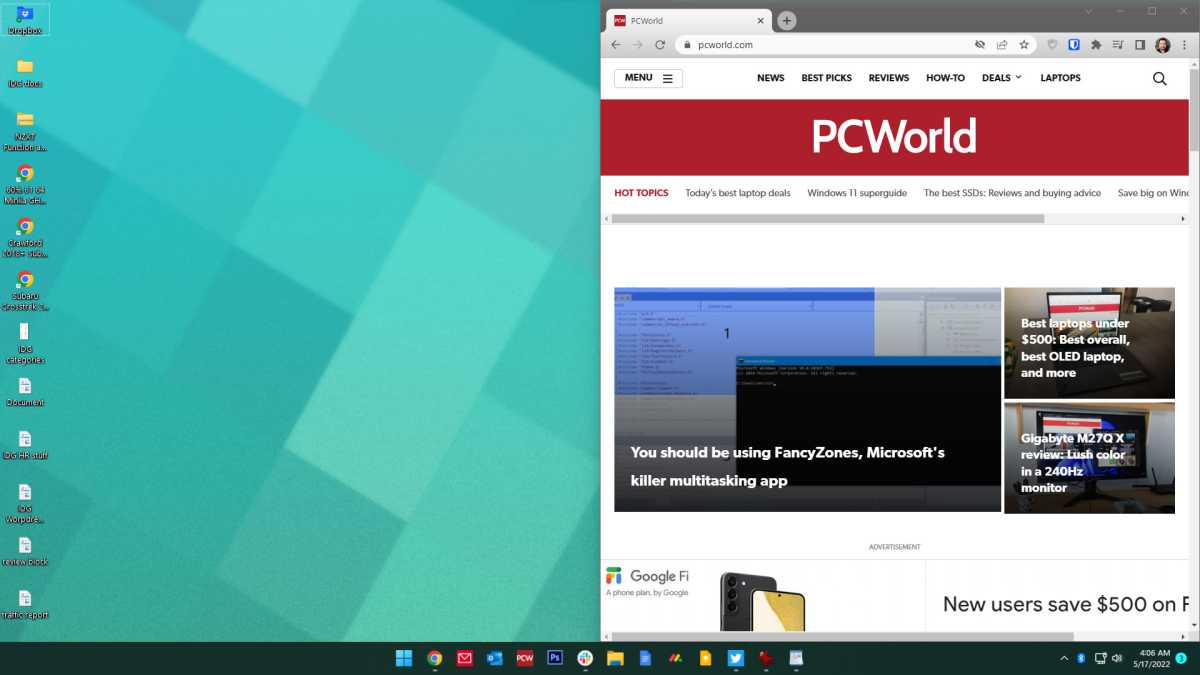
With newer versions of Windows, it’s easy to move windows (sorry) around your screen. Hold down the Windows key on your keyboard, then press the arrow keys. Pressing left or right will instantly move the window to the corresponding half of the screen. Pressing up or down will alternate between halving the window in the upper or lower portion of the screen, maximizing it, or minimizing it to the toolbar.
These shortcuts even work across multiple monitors. It’s a great way to quickly arrange your windows across screens and monitors with minimal effort.
Quick taskbar launching
Michael Crider/IDG
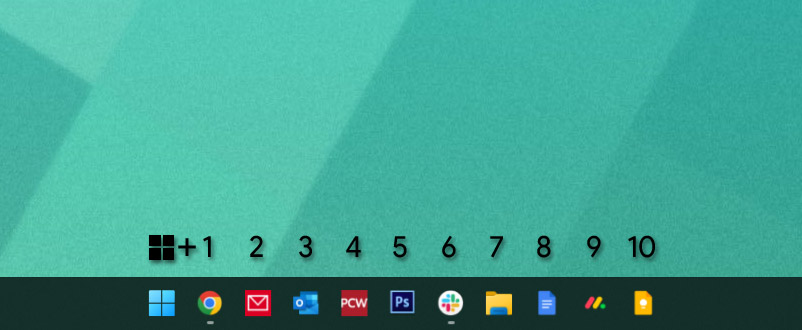
If you want to quickly manage windows, you probably pin your most-used programs and tools to the taskbar. If you want to get at them even faster, simply hold down the Windows button and press the number on your keyboard that corresponds to their spot on the taskbar. On mine, opening Chrome is Win + 1, opening Photoshop is Win + 5, et cetera.
Rearrange your system tray
Michael Crider/IDG
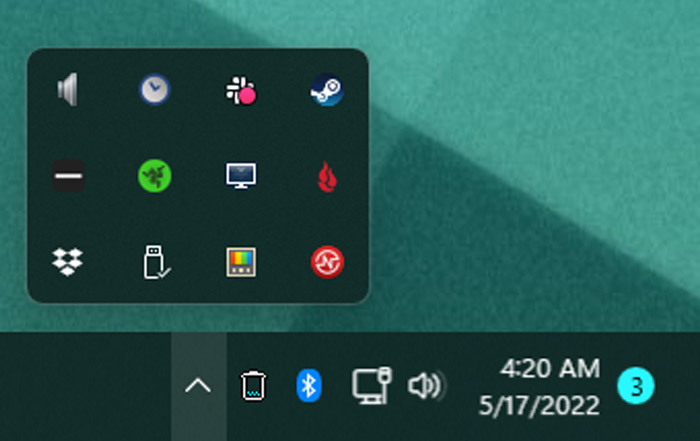
Speaking of the taskbar, the system tray (the little mini-icons on the right side) can often get crowded if you’re using a lot of software. That’s doubly true if you run a lot of programs at startup. But if it’s cluttered, you don’t have to keep it that way. Click and drag any of the icons around to re-arrange them. You can put them in the drop-down menu to hide them (just click the arrow to show them again), or set them to the right to make them permanently visible.
Night light
Michael Crider/IDG
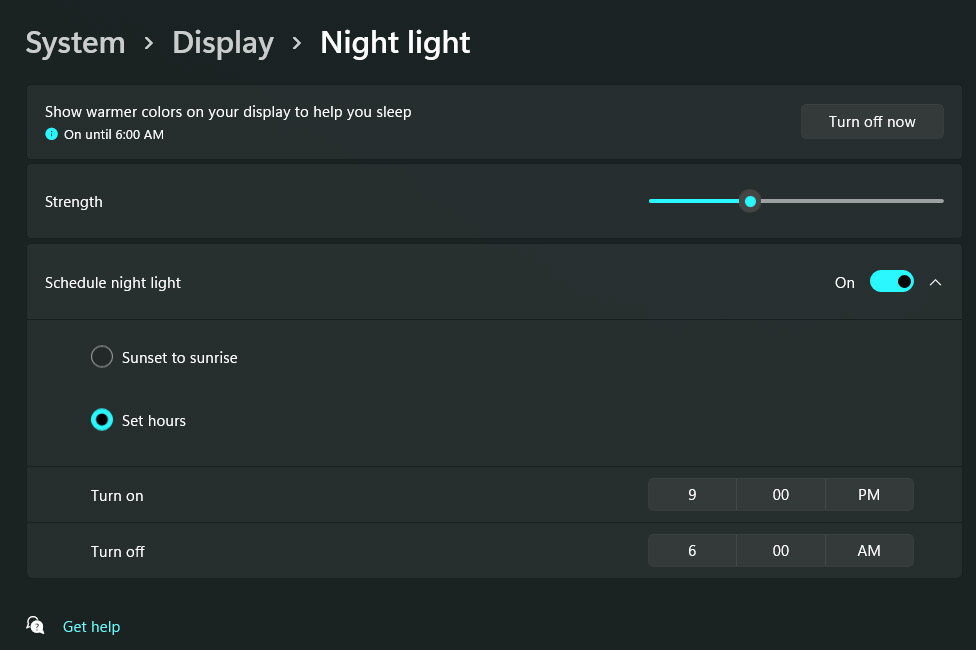
Those of us who have less-than-healthy computing habits tend to use our PCs late into the evening. You should probably cut it out, but if not, using the built-in night light feature couldn’t hurt. Simply search the Start menu for “Night light” to find the setting that will dim your computer’s screen and lower its blue light output. Once it’s set up, you can toggle this anytime in the quick settings menu (Win + A) or have it turn on and off automatically at specific times of the evening and morning.
Instantly bring up the Task Manager
Michael Crider/IDG
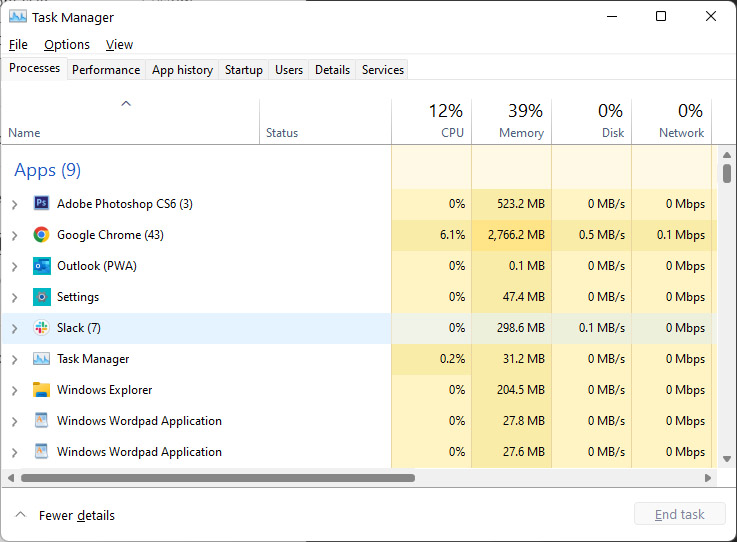
This is an old trick, but with the expanded functions of the Task Manager in Windows 10 and 11, it’s become more useful. From any screen in any program, press Ctrl+Shift+Escape to open the Task Manager. From here you can manually close programs, quickly access the Run command, or click the Startup tab to track down programs that are sneakily starting with Windows.
Screenshot tricks
Michael Crider/IDG
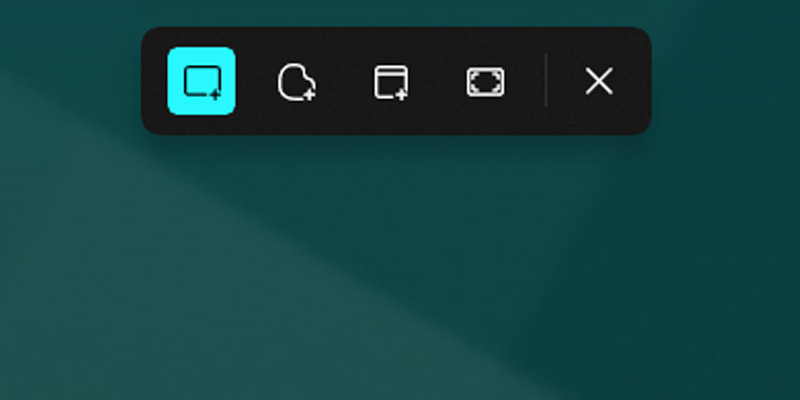
If you haven’t done so yet, you really need to start using the official (but obscure) Windows Snipping Tool, which expands the operating system’s rather basic screenshot tool (tied to the Print Screen button) with all sorts of new goodies. Press Win + Shift + S simultaneously to see options to instantly screenshot your entire workspace, just one window, or a freeform selection drawn with your mouse. Your screenshot is then copied and ready to be pasted into a web form or image editor.
In a hurry? You can still access the old screenshot functionality (which saves a full image file in your Pictures>Screenshots folder) by pressing Win + Print Screen. Alternately, you can copy the full screenshot instead with Ctrl + Print Screen, or copy a selection of just your currently active program with Alt + Print Screen.
Search by most recently installed programs
Michael Crider/IDG
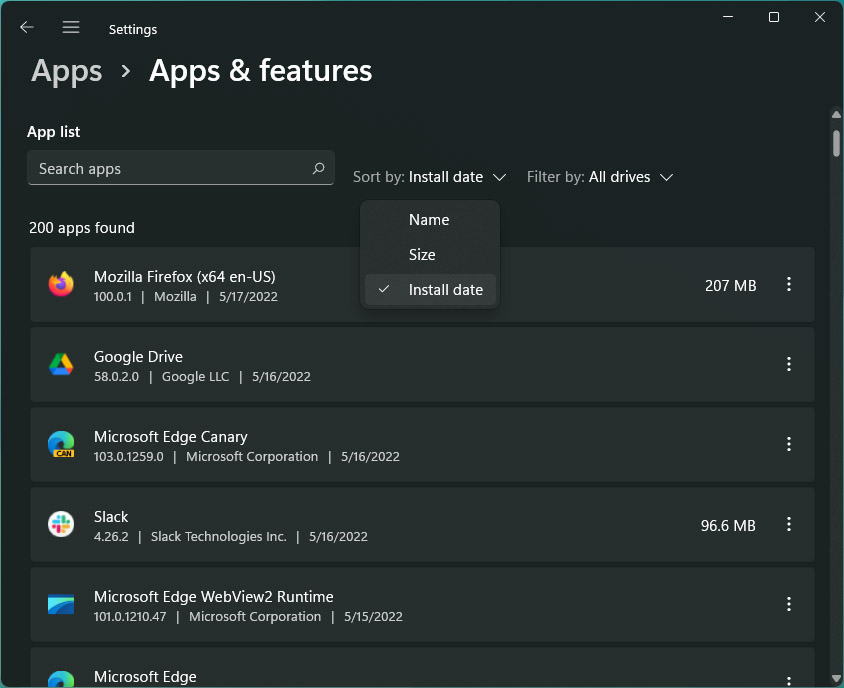
One of the smallest changes in Windows that I’ve gotten the most use out of is this tweak to the way you search through programs for uninstallation. It makes it easy to find the most recent program you installed, and get rid of it if you want to. Press the Windows key, search for “Add or remove programs,” and click it to open the Settings menu. You’ll be presented with a list of every program installed on your computer.
In previous versions of Windows, you’d have to hunt through this long list alphabetically. Now you can search for it, but what if it’s not listed under the same name? Just click “Name,” then “Install date.” The list is now in reverse chronological order, showing your most recently-installed programs. Click the three-dot menu on the right to get rid of any entry. Super easy!
Quickly connect to new screens
Michael Crider/IDG
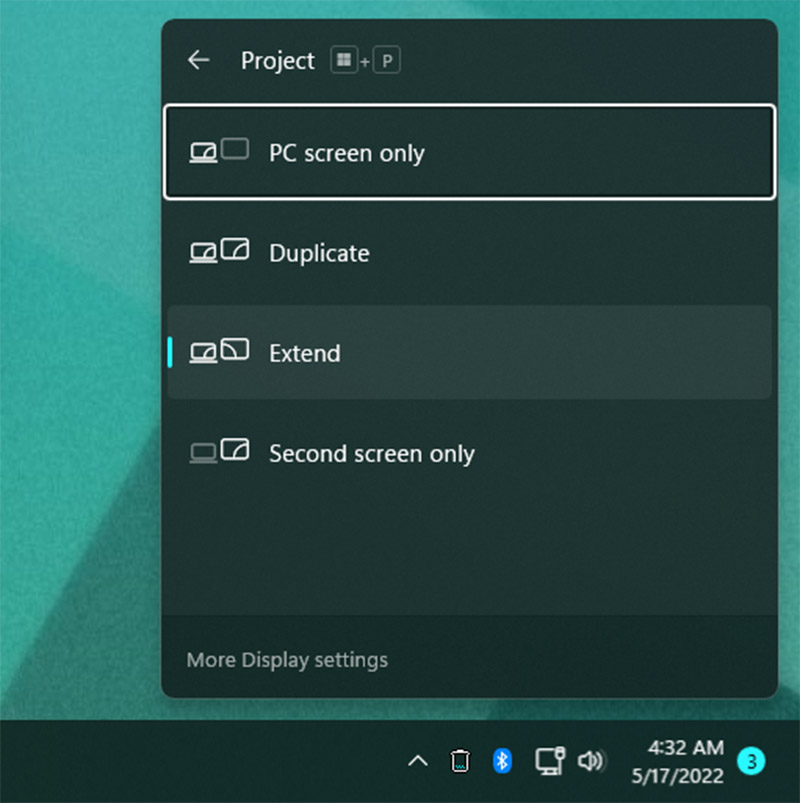
Most of the time Windows will automatically enable a new monitor or screen when you plug it in. But if it doesn’t, there’s a quick way to adjust your display setup. Just press Win + P to open the “Project” menu. From this pop-out you can select Duplicate (mirror your primary screen to your secondary), Extend (use more than one screen at once), or Second screen only (handy for using just a monitor and not your laptop screen).
This menu is great if you’re using a multi-monitor setup and you want to quickly disable secondary screens, such as for watching a movie or playing a game, then enable them again when you’re done without diving into menus.
Adjust text and element sizes
Michael Crider/IDG
You probably know that you can adjust the size of what you see in Windows by changing your resolution. But unlike the days of CRTs, your laptop screen or monitor has a very specific resolution it’s meant to run at. Changing that value isn’t a great idea; it can result in a stretched or pixelated image, and video won’t look its best.
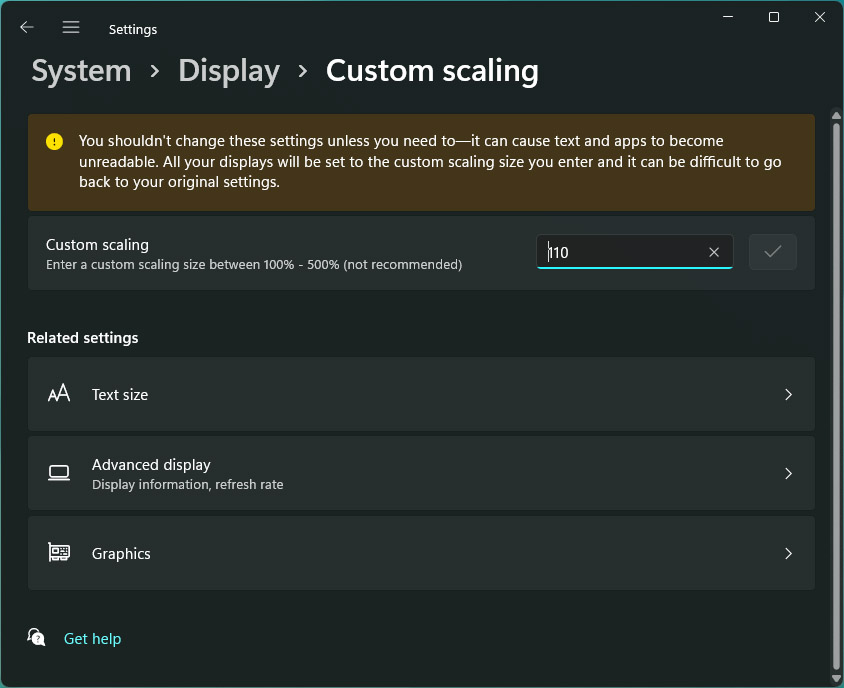
Instead of changing the resolution, go to Display Settings, scroll down a bit, and change the Scale setting. This can make text and images look bigger or smaller on your screen without changing the resolution of the image itself. Pre-set values come in 25 percent increments, but you can set a custom value if you prefer (with a system reset). There’s also an option that will adjust just the text size.
Many programs come with their own scaling and text settings, especially text-heavy apps like browsers and text editors. Tweak them to your liking to find the most comfortable combination.
Quickly adjust icon sizes in Explorer
Michael Crider/IDG
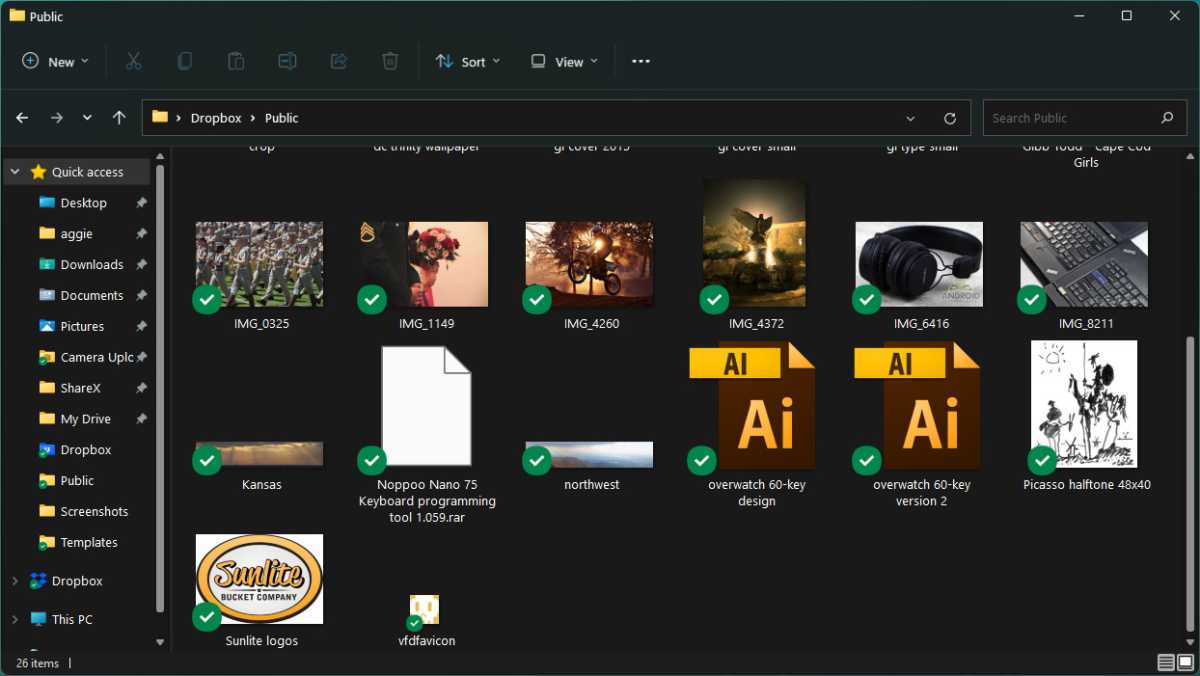
If you need to see icons better in an Explorer window specifically, try this quick trick. Hold down the Ctrl button and scroll your mouse wheel up and down. Thumbnail images will get bigger or smaller in response. Scroll far enough and the view will actually change from thumbnails to lists with mini-icons. This works even on the Windows desktop, with no Explorer window in use.
Explorer isn’t the only program to use the Ctrl+mouse wheel shortcut to change the view. Browsers, email clients, image editors, and text editors often use it to zoom in or out or quickly change text scaling. It’s a common tool worth learning.
That just about does it for this roundup of tips and tricks! If you’re looking to go even further down this rabbit hole, check out our roundup of 10 truly helpful Windows tools you might not know about, how to tune Windows for laser-focused productivity, and how to fix Windows 11’s worst annoyances.
>>> Read full article>>>
Copyright for syndicated content belongs to the linked Source : PCWorld – https://www.pcworld.com/article/702039/10-hidden-windows-features-that-will-blow-your-mind.html



