






At a Glance
Expert’s Rating
Pros
File backup, sync, and imaging in one programEasy interface1TB of online storage for $20 extra with yearly license, $30 with perpetual license
Cons
Minor interface glitches and sloppinessDoesn’t support VHD/VHDX Online storage only usable via Backupper
Our Verdict
With the addition of online storage, Aomei Backupper 7 can now compete with Acronis and R-Drive Image in our race for the top spot in the backup, sync, and disaster recovery category.
Best Prices Today: Aomei Backupper Professional
Our last look at Aomei Backupper’s imaging, file backup, and sync program was at version 6, and it was a tad buggy, but developing apace.
Version 7 of Aomei Backupper Professional adds incredibly affordable Aomei Cloud online storage to mix, as well as targeted backups for email and Outlook for those who don’t know where that data resides. More importantly, Backupper seems more stable and reliable.
Further reading: See our roundup of the best Windows backup software to learn about competing products.
What are Aomei Backupper Professional’s features?
Backupper’s existing features run the gamut of backup functionality including: imaging of your files/folders, system, drives, and partitions; Linux and Windows PE disaster recovery boot media; system/disk/partition cloning; several flavors of folder sync.
Backups and syncs may be saved anywhere, to any type of non-optical media (optical is supported for boot discs), including network locations, which may also be selected for backup. Alas, a long-standing gripe has yet to be addressed: You can’t browse to select a network location. You must manually enter the location, e.g., \192.168.1.105/Public, or map the parent folder as a Windows drive.
You can schedule backups as granularly as one hour (continuous is available as real-time sync), as well as run pre- and post-backup commands, including scripts.
Beyond that, Aomei’s changelog lists mostly smaller improvements and optimizations. All welcome, but nothing particularly sexy.
Backupper also includes a number of storage-related utilities, including a disk-wipe app that will overwrite sensitive data, destroy malware, etc; an image explorer so you can browse files on images; an image integrity checker; and a hidden emergency partition containing a recovery copy of your Windows installation (one-key recovery), as you’ll find on large vendors’ PCs.
The various types of sync available with Professional include Basic Sync (see the image below), which backs up newly added or changed (replacing the older version) files to the destination, but leaving files deleted from the source in place in the destination.
Mirroring maintains an exact duplicate of the source folder’s contents in the destination folder, removing files deleted from the source folder. Two-way sync simply means that changes made in either the source or destination folder are duplicated in the other. Real-time sync is just what is sounds like: instantaneous mirroring of changes made in the source folder to the destination, rather than by scheduling.
While many of the advanced features discussed above are available only in the Professional and Enterprise versions of Backupper, many users will be just fine with the basics available in the free version. There’s a version comparison here if you want the complete lowdown.
How easy is Aomei Backupper to use?
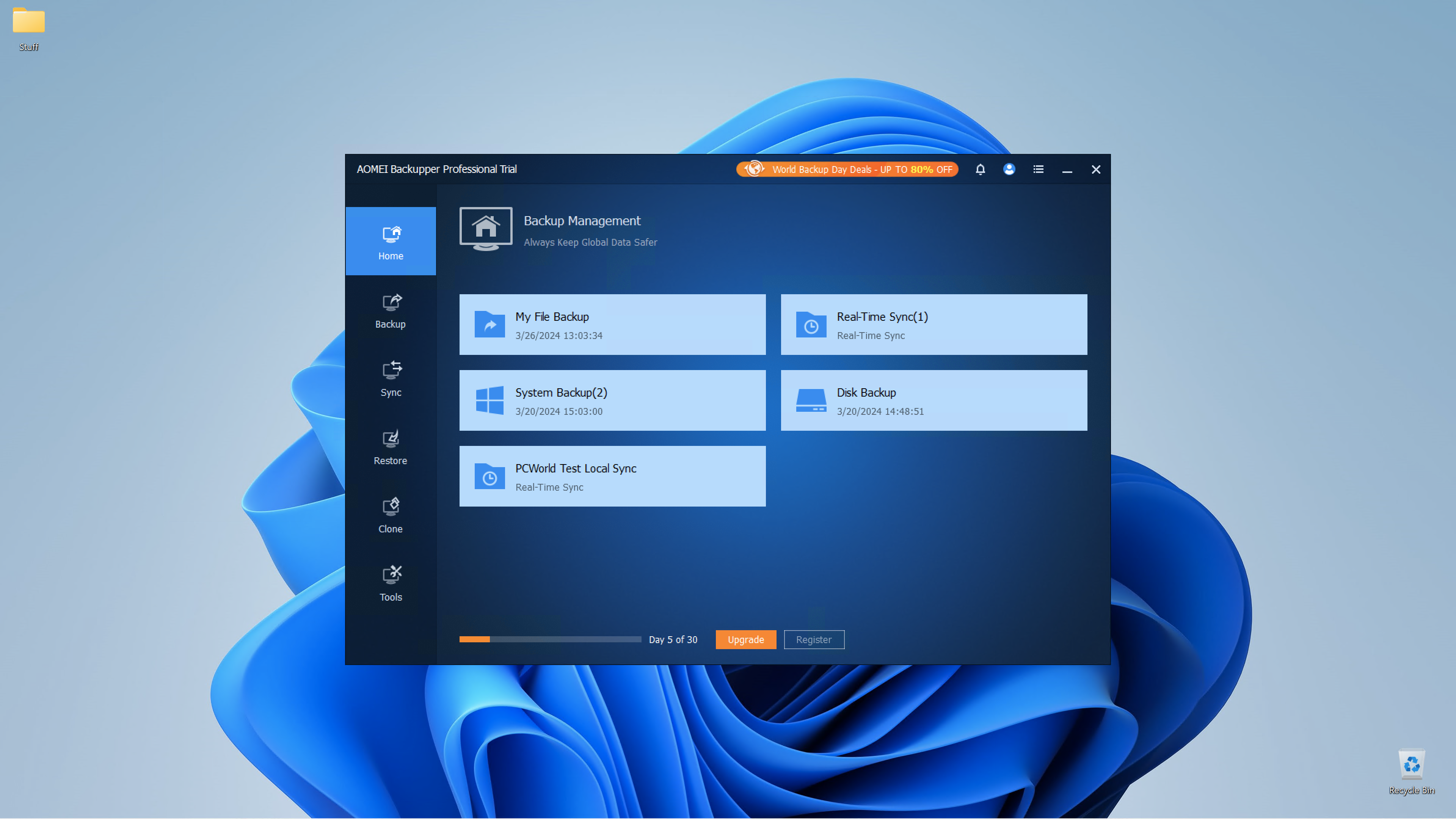
Aomei Backupper is quite similar in both appearance and workflow to Acronis Cyber Protect Home Office, though neither are particularly ground-breaking: A column of basic categories on the left, with a pane of sub-categories to the right that morph into detail view. The GUI is clean and the features are explained with easily understandable language. Kudos to the English translators — it’s impressive.
That said, while the PDF help file is quite thorough and well-written, you should read it in its entirety first. It lacks links that would let you jump from a topic in the table of contents to the subject itself. A small, but mildly annoying time-waster.
The upshot is that the program is very easy to use. If you understand backup at all, you won’t have any difficulty using Backupper. If you’re new to backup, your learning curve should be minimal.
Of course, the free version, which is what most people will start off with, suffers a perpetual upgrade nag on the main screen, as well as other hints that if you like the software, you should probably support the company that provided it. True that.
If you understand backup at all, you won’t have any difficulty using Backupper. If you’re new to backup, your learning curve should be minimal.
How much is Aomei Backupper?
This is a more complicated topic than with many products, and the pricing is different depending on where you look, so bear with me.
Backupper is available in two consumer-oriented versions: Standard, which is free and surprisingly capable, and Professional (reviewed here) for $39.95 annually (often on sale), which adds a whole bunch of advanced features to the Standard version — including Aomei Cloud at an additional $20 a year, for a total of $60.
The latter was the upgrade price shown within the program. In another spot on the Aomei website, it was only $10 for Cloud, for a total of $50. Whether this was locked in for subsequent years, I can’t say. I doubt it, but getting a straight answer from Aomei was nearly impossible. More likely it’s the $20/$30 discussed below.
A perpetual license is $69.95 for one user, or $89.95 for five users, but this doesn’t include cloud storage. Aomei offers this to perpetual users at $20 a year according to media relations, or $30 according to tech support. Either way, it’s quite the bargain, though it can only be used in conjunction with Backupper. OneDrive is $70 annually for 1TB by way of comparison.
There are also small business plans: Workstation for $50 yearly with PXE boot ($60 with the 1TB of online storage), Server for $150 with support for various Windows server operating systems. Additionally, two enterprise-oriented versions are available: Technician for $499, and Technician Plus for $699 with image deployment and the portable version.
How fast and reliable is Aomei Backupper Pro?
After some initial issues on our software test bed due to other software installed (most likely detritus from a failed FileShadow uninstall), Backupper performed both quickly and without error. Imaging, file backup, and sync to both local, network, and online proceeded apace given the bandwidth available on each medium.
Creating recovery disks was easy, including automatic download of the required Windows PE files; and both the Linux and Windows PE versions booted just fine on PCs. Restore and clone operations to a replacement SSD performed flawlessly as well.
While everything went off okay in the end, Backupper is occasionally rough around the edges and not particularly informative if something goes wrong. For instance, when I tried to back up a network location that had too much data for the local destination, it didn’t inform me of that. It just “cancelled” the job with an error 23 in the log.
Another small glitch was that when creating a new folder in the destination selection dialog, Backupper didn’t update the name when I renamed the folder to something meaningful. It instead said it couldn’t find “New folder.” Selecting another item, and then the renamed folder, fixed the issue.
These are indeed minor issues, but along with the link-less help PDF, they do give me the impression that perhaps Aomei’s programmers and testers don’t sweat the details as much as they should.
Regardless, in the end, when I didn’t try to overload a destination and had cleaned out the test bed, Backupper proved fast and stable. A real improvement over the last iteration.
Should you buy Aomei Backupper?
The free version of Backupper is a no-brainer. Download it and have at it. However, the company’s continuing lack of attention to detail and obscured pricing for the online storage leaves R-Drive Image and Acronis Cyber Protect Home Office as my top recommended pay options. Then again, 1TB of storage for $20/$30 a year is fantastic. Just remember that it’s only usable as a backup repository for Backupper.
Note that you can use any backup software, including the free Backupper Standard, with nearly any online storage service these days thanks to cloud storage managers.
>>> Read full article>>>
Copyright for syndicated content belongs to the linked Source : PCWorld – https://www.pcworld.com/article/394774/aomei-backupper-review.html



